

Change an ID, deprecate or delete a module
Give a module a new ID with every reference rewritten, mark it as deprecated, or delete it with Undo.
A module you no longer want as it is can get a new ID, be deprecated, or be deleted. Each is a change in your draft revision, reviewed like any other. See Start a revision.
Change a module's ID
The ID names the module in manuals and in other modules. Changing it rewrites all of them.
- Open the module and choose Details in the side panel.
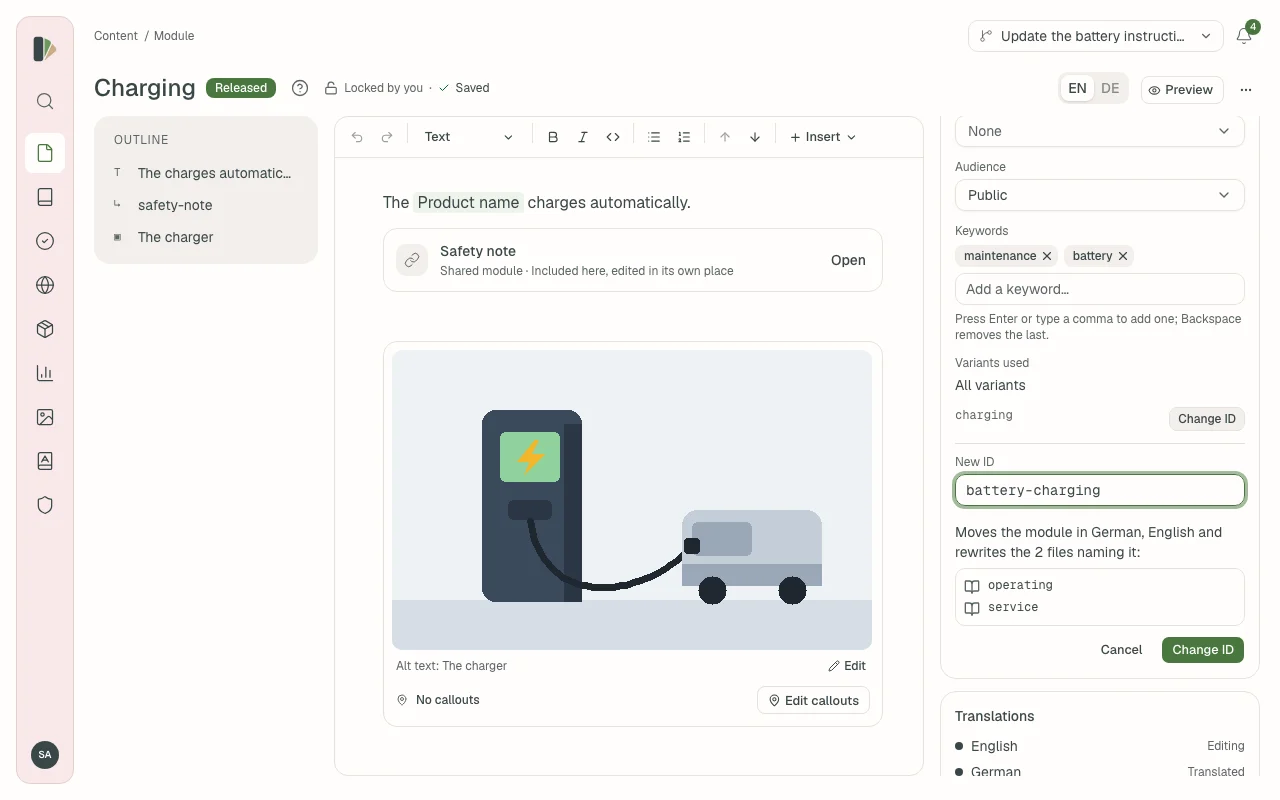
- Choose Change ID beside the module's ID.
- Enter the New ID: lowercase letters, digits and single hyphens, for example
battery-charging. - Check what moves: the line under the field names the languages of the module it moves, and the files naming it that it rewrites, such as manuals.
- Choose Change ID.
The toast offers Undo. The ID cannot change while someone edits the module, or a module or manual naming it, in another revision.
Deprecate a module
A deprecated module stays readable and stays in the manuals that include it, but they are warned. It takes effect once the revision is merged.
- Open the module, in its source language.
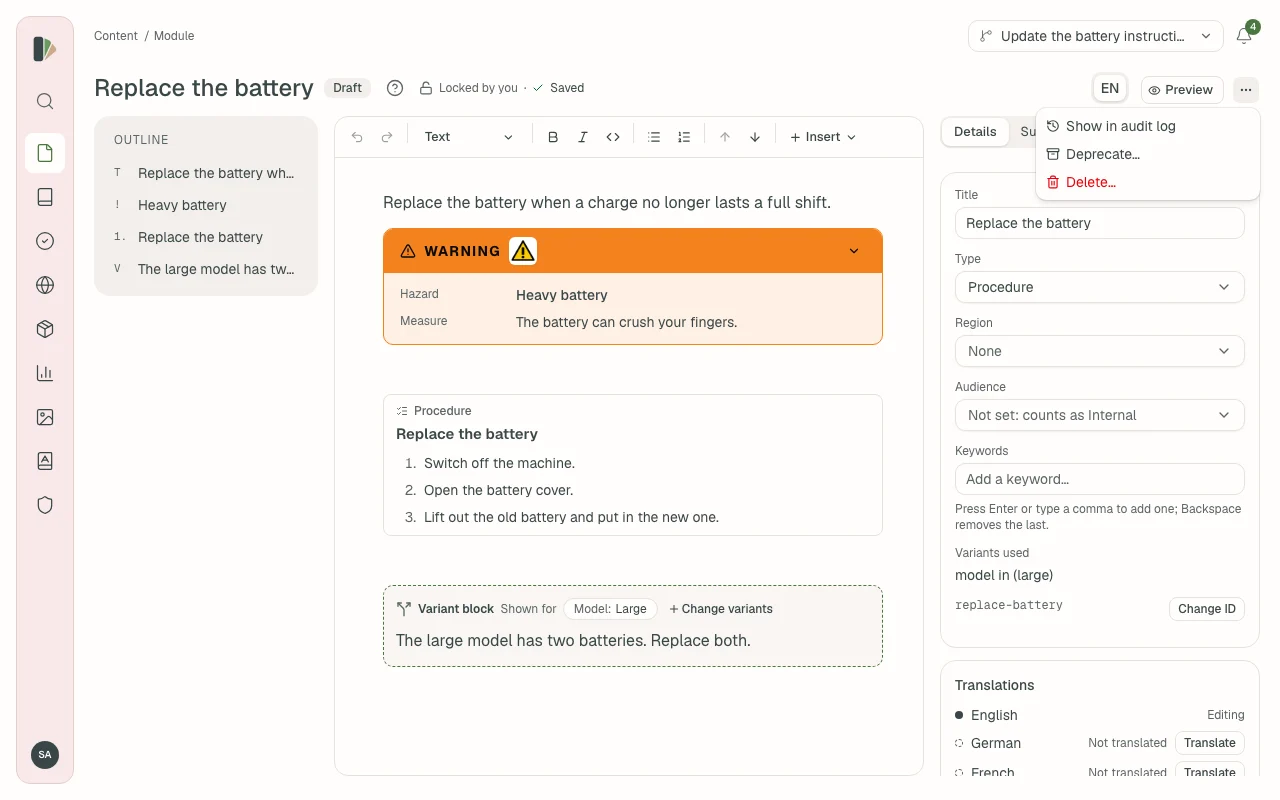
- Choose More actions (…) at the top right, then Deprecate….
- Enter a Reason: one line, shown wherever the module appears as deprecated.
- Optionally, choose the module that replaces it under Replaced by (optional).
- Choose Deprecate.
The module now shows Deprecated with its reason and replacement. In Content, turn on Show deprecated to list deprecated modules. To take it back, choose More actions, then Undo deprecation.
Delete a module
- Open the module and choose More actions, then Delete…. Or, in Content, choose … at the end of the module's row, then Delete….
- Under What to delete, choose Only the … version for one language, or The whole module, in every language.
- Read Where it is used: the manuals and modules that still use it. It can still be deleted; the checks then report these uses until they are fixed.
- Choose Delete module, or Delete … version for one language.
The toast offers Undo. Undo works while the revision is a draft. Published content keeps the module until the revision is merged. A deleted module keeps its history: see A module's history.