

Preview a module
See a module as readers will, beside the editor or full size, per language, variant and output.
Beside the editor
- Choose Preview at the top right of the module editor.
- The preview opens beside the text. It follows what you type, even before it is saved: the heading then says with unsaved changes.
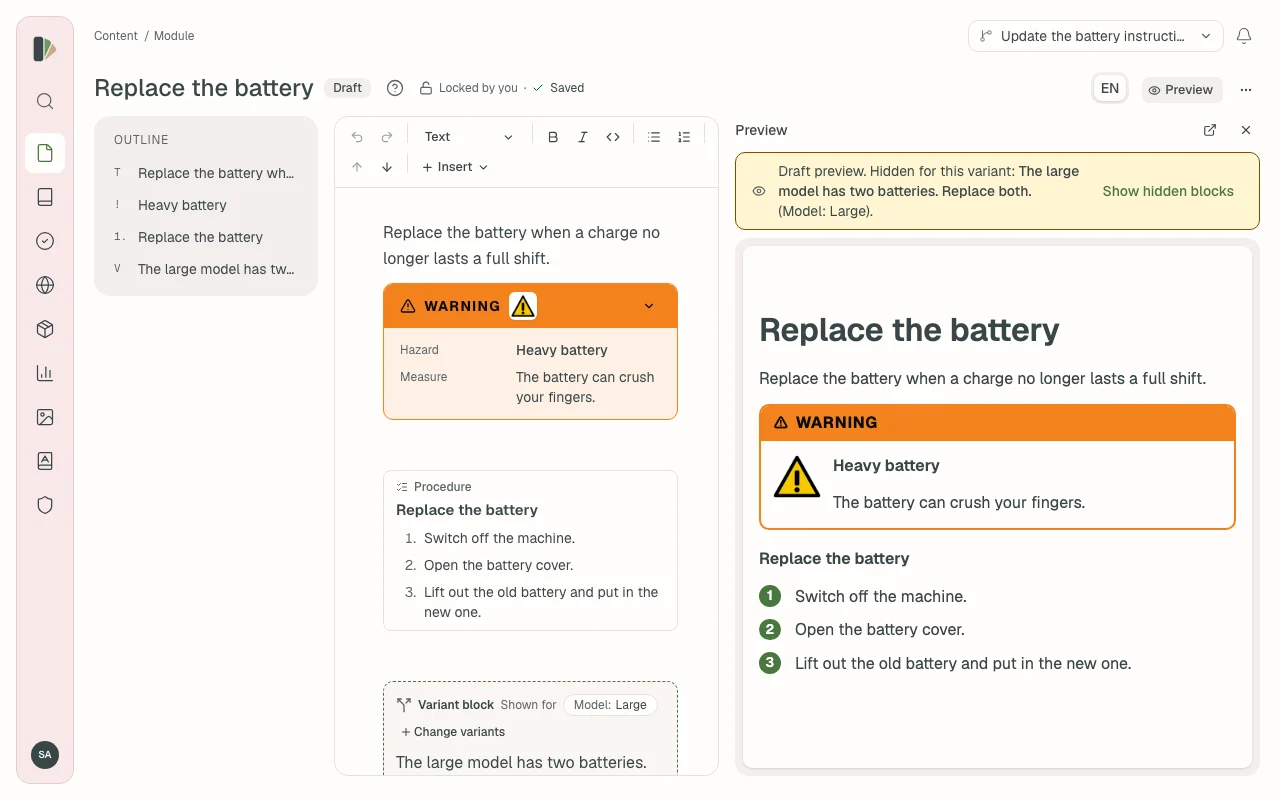
The note above the preview names what is Hidden for this variant: blocks meant for other variants. Choose Show hidden blocks to see them too, marked.
Choose Close preview (×) to close it.
Full size
Choose Open in the full preview (the arrow above the preview). The Preview page opens. There you choose:
- What to preview: This module, or the Whole manual.
- Language and Variant.
- Output: the Portal page or the PDF.
Back to editor takes you back.