

Rename a revision, take something out
Give your revision a better title, or take one module, manual or project file out of it again.
A revision collects your changes. You can rename a revision you started until it is merged. While it is a draft, you can also take a single change out of it without touching the rest.
Rename a revision
- Switch to the revision in the revision menu at the top right.
- Open the revision menu again and choose Rename revision.
- Change the Title, and add a Description if you like.
- Choose Save.
Take a change out of the revision
Each module, manual, term or project file the revision changes is one change. Taking one out discards everything the revision did to it, saved or not.
- Choose Review in the sidebar, with your draft revision chosen.
- Find the change in the list.
- Choose Take out of this revision on it.
- Read what happens, then choose Take out:
- created in this revision: it is deleted, with everything written in it;
- changed in this revision: it goes back to how it is on main;
- deleted in this revision: it comes back as it is on main.
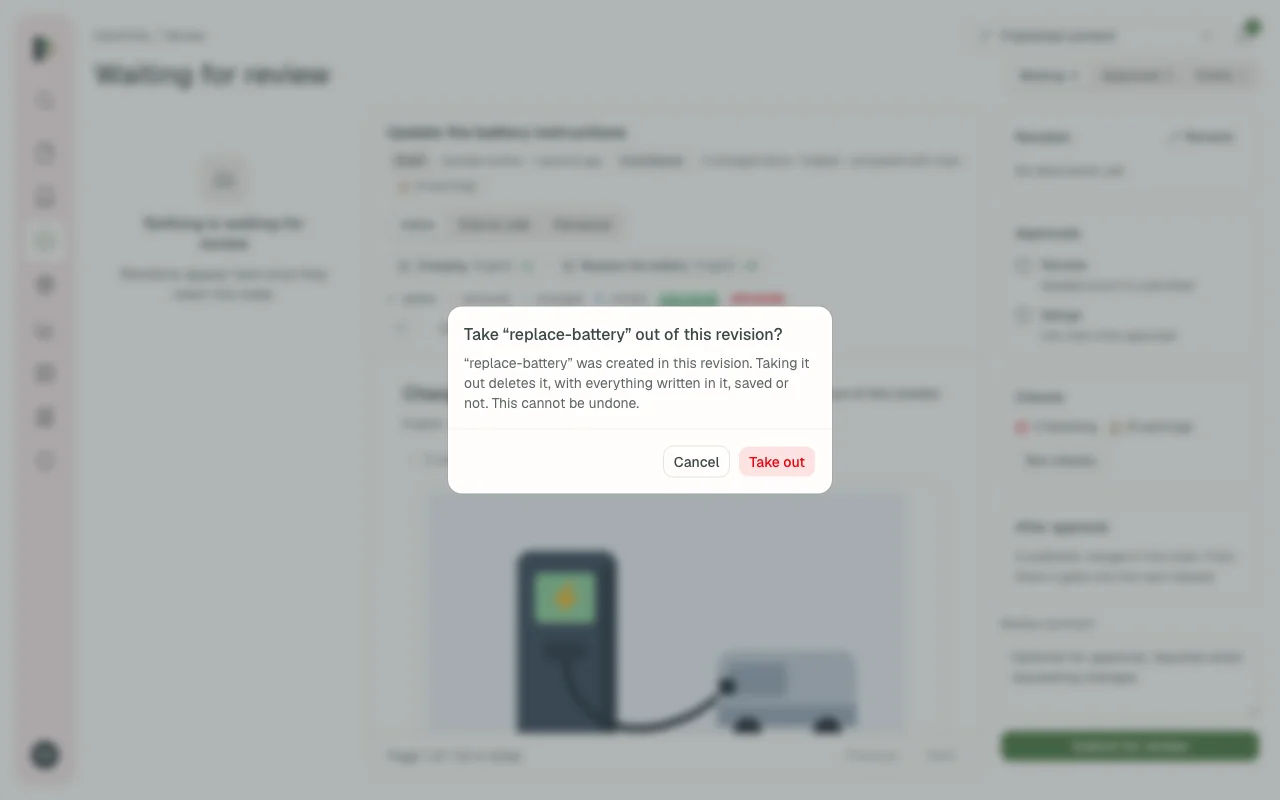
This cannot be undone. Only the person who started the revision takes changes out, and only while it is a draft.
To bring back an older version of one module instead, see A module's history.