

Locks and taking over
When someone else is editing a module: read it, wait, or take over.
When you open a module in a draft revision, it is locked for you: the header says Locked by you. Nobody else can change it until your revision is merged or abandoned. So two people never overwrite each other's work.
When someone else is editing it
Open a module someone else holds, and the editor says so: Someone else is editing this module. It names them, since when, and their revision.
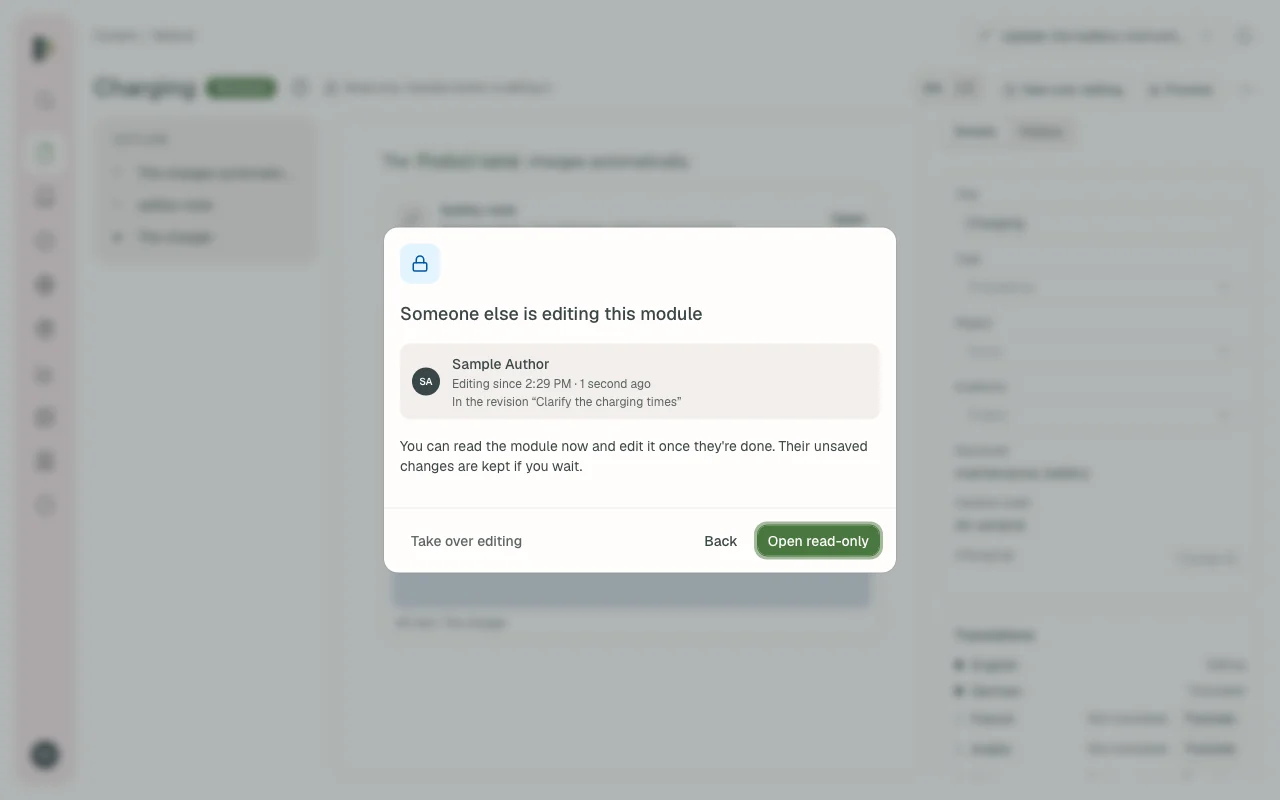
Choose one:
- Open read-only: read the module now. Edit it once they are done.
- Back: go back to where you came from.
- Take over editing: only when it cannot wait, for example when a colleague is away.
Take over editing
- Choose Take over editing.
- Say Why are you taking over? This is required, and goes into the audit log.
- Choose Take over editing again.
Their editor turns read-only, and they are told. What they saved stays in their revision. You may need a role that allows taking over.
When you hold the module in another revision
The editor says You're editing this module in another revision. Choose:
- Open that revision to go on there.
- Release it there, to edit it here instead. This works only while nothing of it has changed there.