

Image callouts
Numbered markers on a picture with a legend, references to them in the text, and how they show in the preview and in translations.
Callouts are numbered markers on a picture. The legend says what each number is, and the text can refer to a number: "Press the power switch (2)".
Add callouts
- Under the image, choose Edit callouts.
- Click the picture where the callout should point. A numbered marker appears there, and its legend field opens.
- Type the legend, such as "Power switch", and press Enter.
- Add the next one the same way. Add callout puts one in the middle of the picture instead.
- Choose Done.
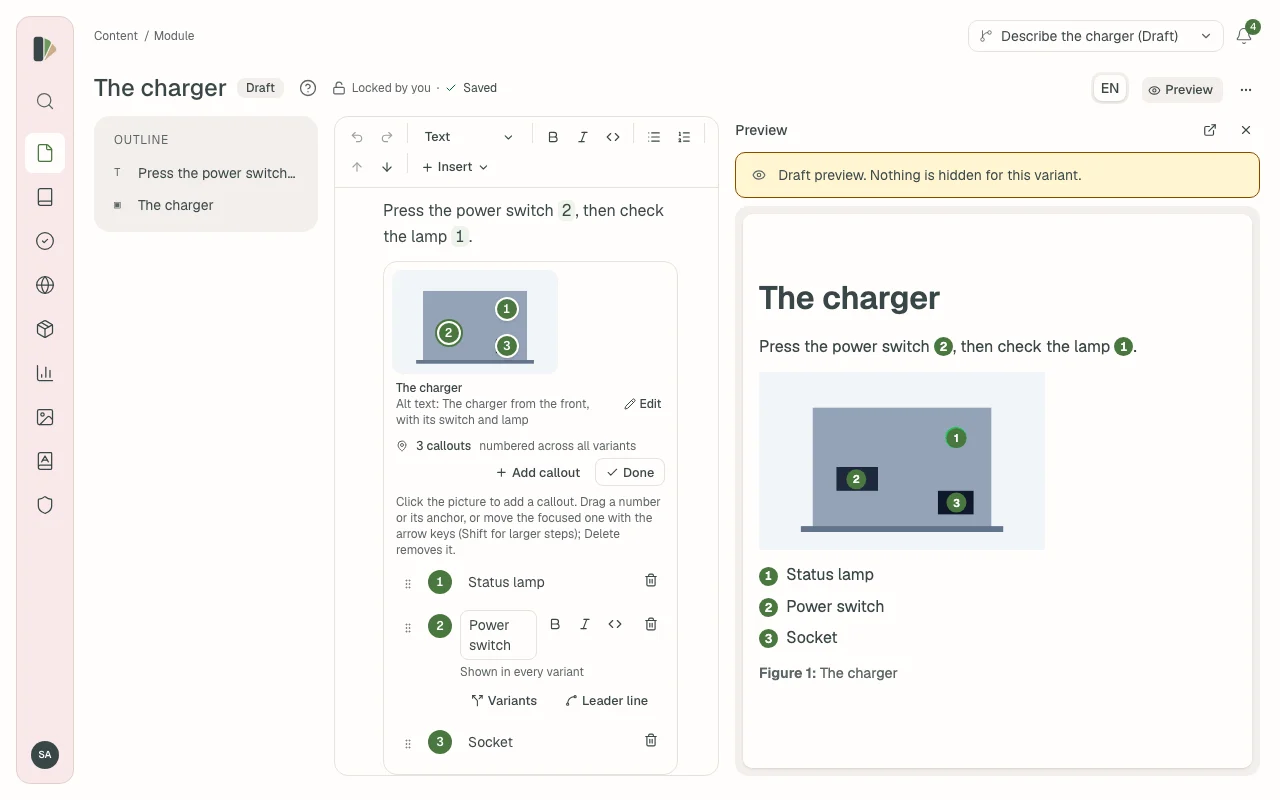
Move or delete a callout
While you edit the callouts:
- Drag a number or its anchor point to a new place.
- Or select a marker and move it with the arrow keys; with Shift in larger steps.
- Press Delete on a selected marker, or choose the bin in its row, to delete it. Undo in the message brings it back.
An image has at most 100 callouts.
Change the order of the numbers
The callouts are numbered in reading order, from the top of the picture down. To number them your own way, drag a row of the list by its grip (or press Alt ↑ or Alt ↓ on it). The list then says Numbered in the order set here. Number in reading order goes back.
Show a callout for some variants only
- In the list, choose the callout's legend. Its settings open below it.
- Choose Variants and tick the variants it is for, then Apply.
Without a choice it says Shown in every variant. A callout hidden in a variant shows "–" instead of a number, and the others close up. The header says which variant the numbers are for: numbered across all variants, or numbered as in the variant the preview shows.
Leader line in the same place sets the number off from its point, joined by a line.
Refer to a callout in the text
- Put the caret in the text, for example after "Press the power switch ".
- Type /, then
callout, and choose Callout reference. - Choose the callout by its number and legend.
The reference shows the callout's number and follows it when the numbers change. A reference marked "?" has no number: The callout is gone: its image or the callout was removed, or Hidden in the chosen variant: it has no number there. Click it to choose another callout.
See what belongs together
Point at a marker, a row of the list or a reference: the others for the same callout light up. The preview does the same with its markers, legend entries and references.
In the outputs and in translations
The preview and the PDF draw the markers on the picture and the legend under or beside it. A legend beside an image that is longer than the image is high gets smaller type, then is cut off; the checks then report Callout legend cut off. Shorten the legend.
The legends are text like any other: they go to translation with the module, and come back in its other languages. See Export for translation.