

Send a delta export
Export only the blocks that need translating as XLIFF 2.0, for a translation agency.
A delta export holds only the blocks whose source changed since they were last translated, or that were never translated. Blocks already at the agency are not sent again. The file is XLIFF 2.0, which translation tools read.
Export
- Choose Translations in the sidebar, then Create delta export.
- Under What to send, choose one:
- Chosen modules: the rows you ticked in the Status tab.
- A manual: every module the manual includes. Choose it in Choose a manual.
- A folder: every module of a folder of the content list. Choose it in Choose a folder.
- Under Into, tick the languages.
- Optionally enter a Due date (optional): when the agency should send the translation back.
- Read the counts at the bottom, for example 6 modules · 21 blocks · 120 words, with a line per language. Nothing is sent yet.
- Choose Export and download.
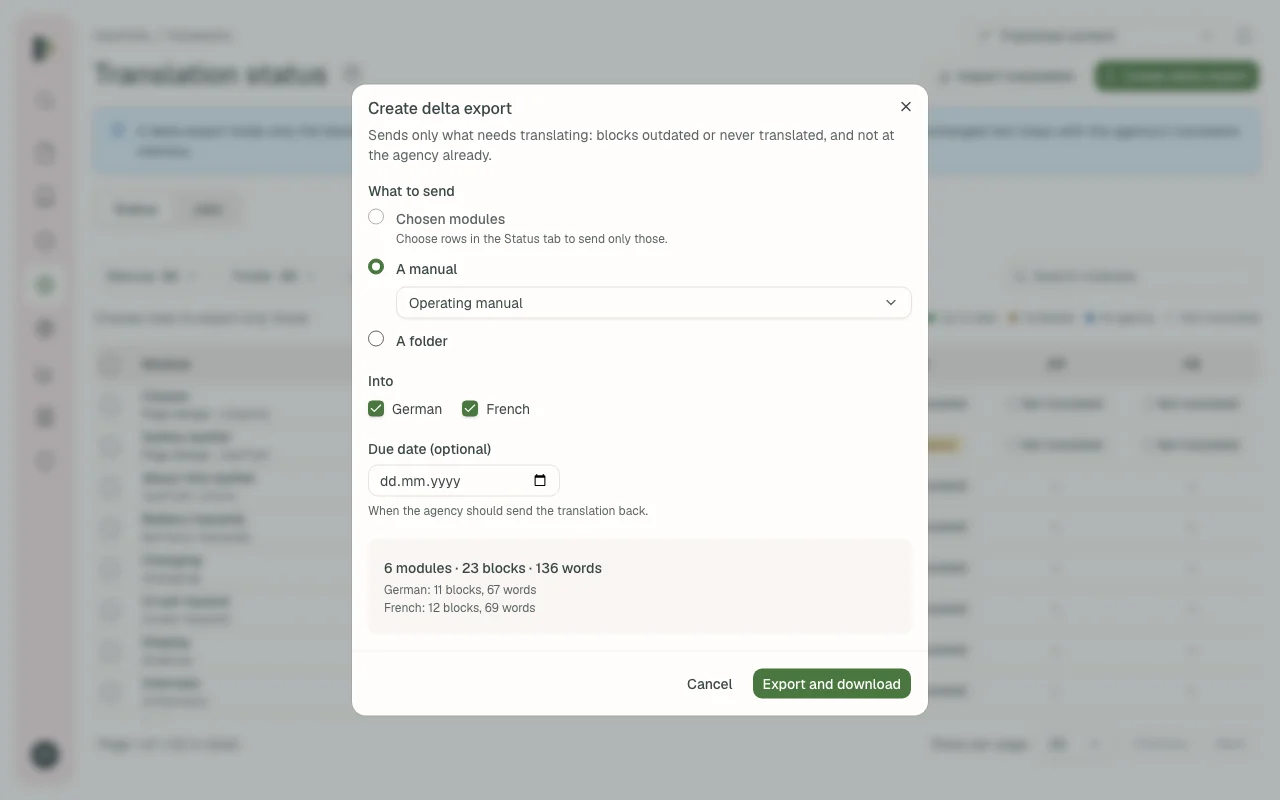
The file downloads: one XLIFF file for one language, a ZIP with one file per language for more. Send it to the agency. In the Status tab, the blocks now show At the agency.
If the counts say there is nothing to send, every block is up to date or at the agency already.
Page designs, cover image texts and modules go in exports of their own. If you chose rows of several kinds, choose rows of one kind.
Follow your exports
The Jobs tab lists every delta export, newest first: what was sent, the Languages, when it was Exported and by whom, the Due date and the State.
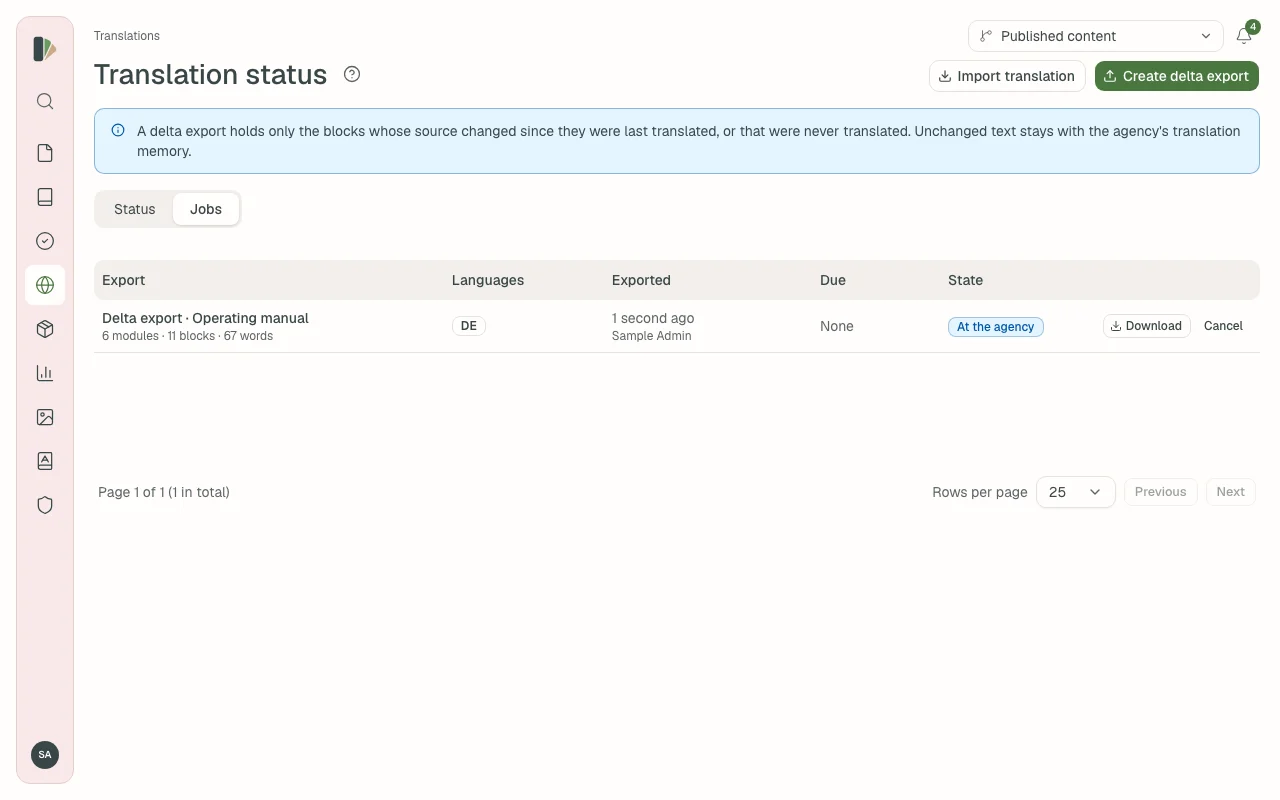
- At the agency: sent, not back yet.
- Imported: every block came back in an import.
- Cancelled: the export was called off.
Download gets the file again. Cancel calls off an export that is still at the agency: its blocks are sent again with the next export. A message offers Undo for a moment.
Send it as a COTI package
A translation management system that supports COTI, the open exchange standard for translation packages, takes an export as one package and sends it back the same way: nobody repacks files by hand.
In the Jobs tab, choose COTI package on an export that is not cancelled. A .coti file
downloads. It holds one translation project per language, each with its project description
(COTI.xml: the export, its languages and its due date) and the same XLIFF file that
Download gives. Hand it to the translation system as it is.
When the system sends the package back, import it like an XLIFF file: the import reads the package, finds the export by its ID and checks each block the same way.
When the agency sends the file back, import it.