

Withdraw a release
Mark a release as no longer valid, with a reason every reader sees.
A release with an error can be withdrawn. Its readers see it withdrawn, with your reason, and the stable addresses open the release before it again. Withdrawing is final: it cannot be undone.
Withdraw it
You need a role that may publish.
- Choose Releases in the sidebar, then the release.
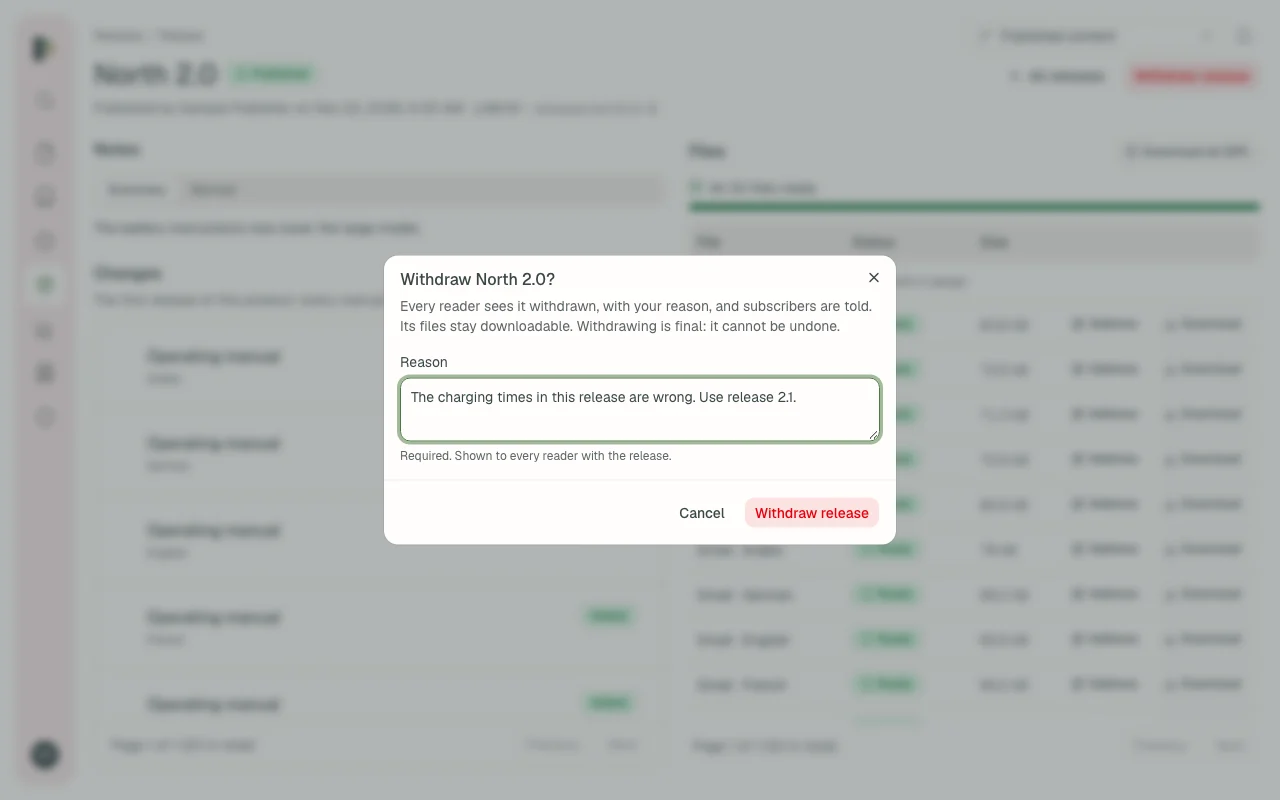
- Choose Withdraw release, in the panel beside the list or at the top of the release's page.
- Under Reason, say why, for example which release to use instead. The reason is required and shown to every reader with the release.
- Choose Withdraw release.
What changes
- The release's Status is Withdrawn, in the list and on its page.
- Its page shows who withdrew it, when, and the reason.
- Its files stay downloadable, but the page says they are no longer the current ones.
- The latest stable address opens the newest release that is not withdrawn. The address of exactly this release still opens it. See Stable addresses.
Reading a withdrawn release
Opening a module as released from a withdrawn release (from its Changes) shows the content as it was, with a note on top: the release was withdrawn, by whom and when. It can still be read.