

Maintenance lines
Release a fix for an older product version while the published content moves on.
A maintenance line fixes an older product version. It starts at that version's release and holds its own fixes, apart from the published content, which may already describe a newer version. Releases cut from the line are new versions of the older product, for example 2.0.1 after 2.0.
Start a line
- Choose Releases in the sidebar, then the release of the version to fix, for example South 2.0.
- In its panel, under Maintenance, choose Start maintenance.
The line is listed on the Maintenance tab of the releases page: its product, its product version, the release it started at (a link to that release), whether it is Open or Closed, and who started it when. A release has one line at most.
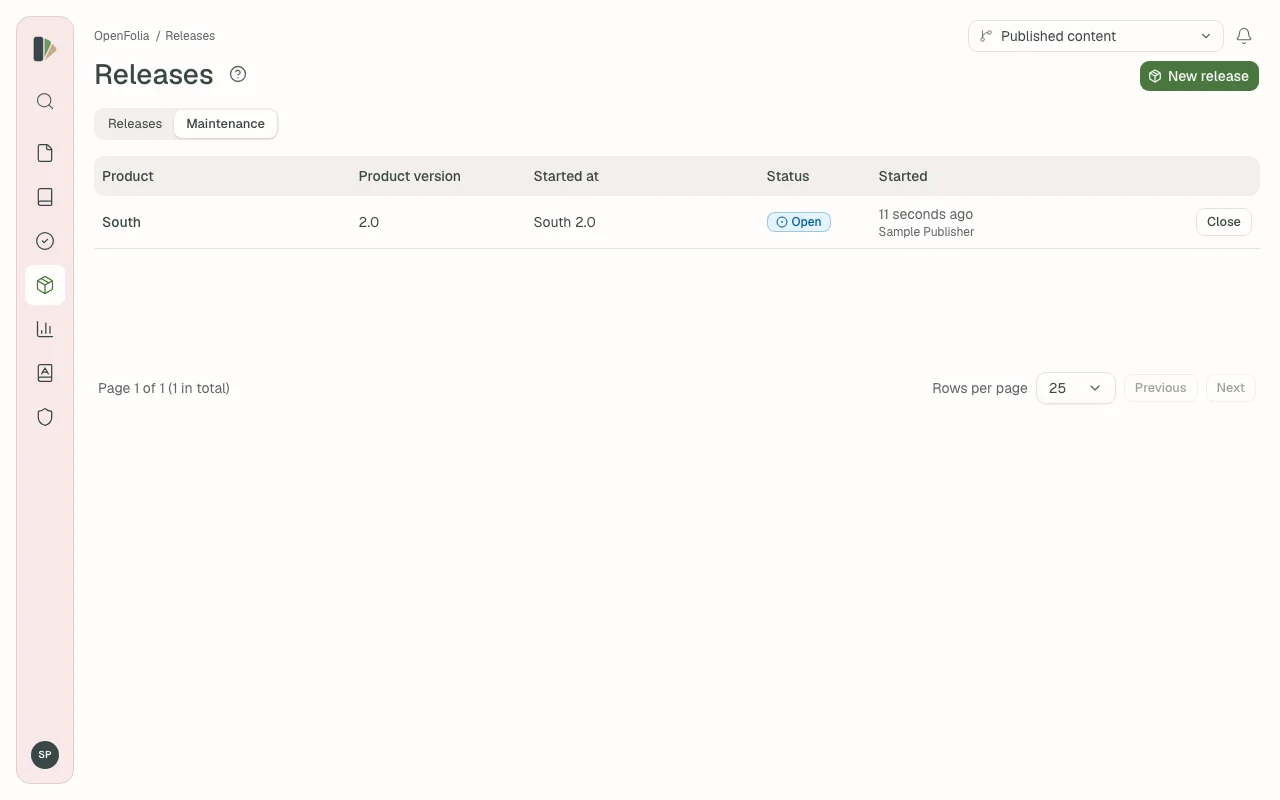
Close ends a line for good: no new revision starts on it, but revisions on it can still be merged and releases still be cut from it. Closing asks first and cannot be undone.
Starting and closing a line needs the permission to publish that product. Everyone who may read drafts sees the Maintenance tab.
Fix an older version
- Open the revision menu in the header and choose New revision.
- Under Product version, choose the line, for example South 2.0, instead of Current (main).
- Enter a Title and choose Start.
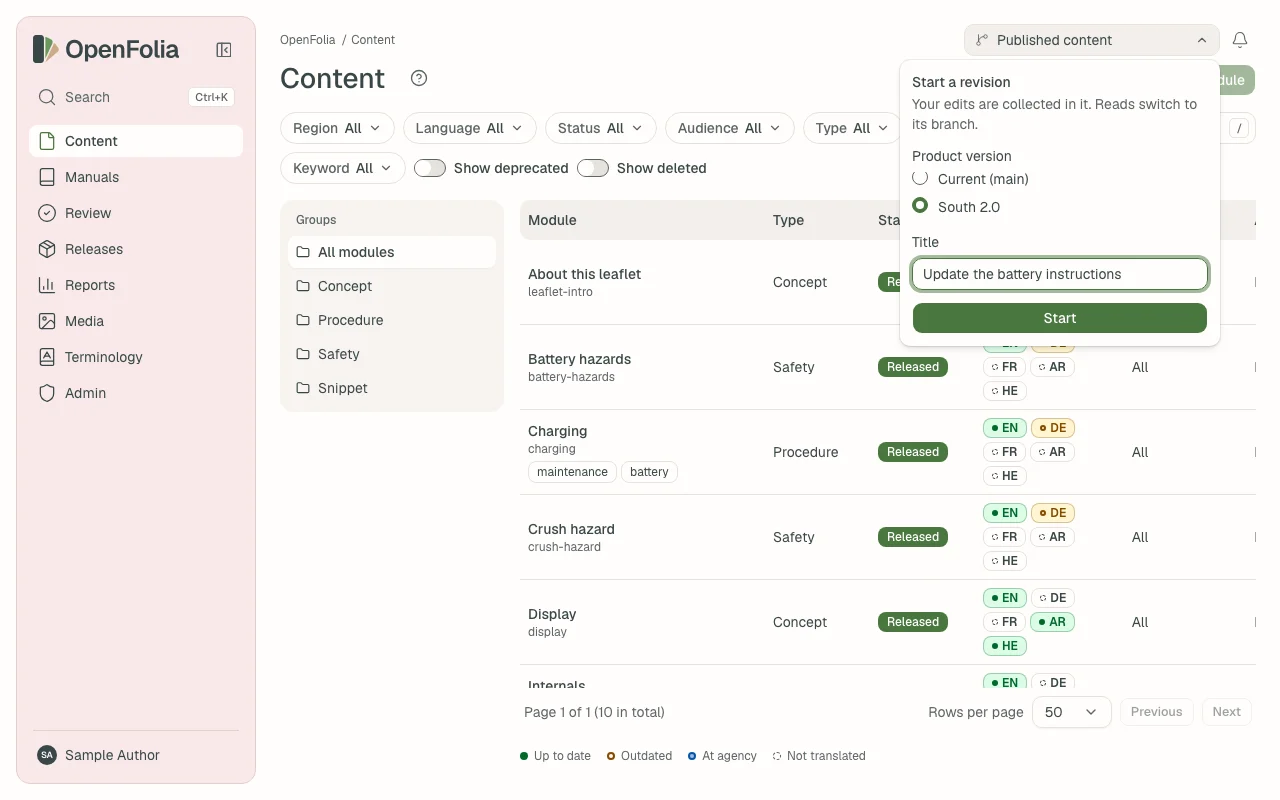
The revision names the version it fixes, South 2.0, beside its title: in the revision menu, in the module editor, in the review and in the content browser. Everything read and edited in it is that version's content. It is reviewed and merged like any revision, into the line.
The editor always names a line by its product and version, never by its branch.
Release from a line
Once a line is open, New release offers it:
- Choose Releases in the sidebar, then New release.
- Under Cut from, choose the line, for example Maintenance line South 2.0, instead of The published content (main).
- The Product is the line's. Enter the new Product version, for example
2.0.1. The dialog names the commit: the newest state of the line. - Go through Checks, Outputs and Notes, and choose Create release, as for any release.
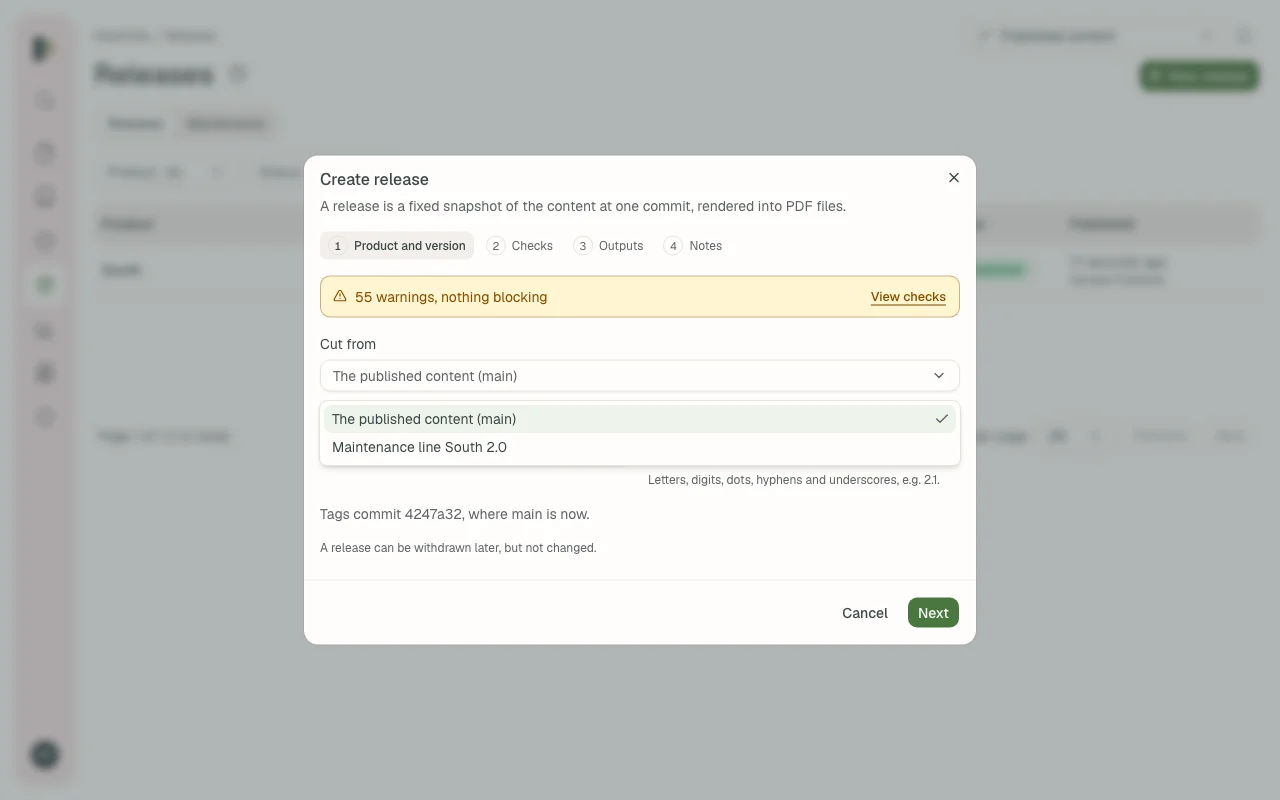
Cut from shows only when a line is open.
How a line's releases differ
- Their Changes count from the line's previous release, or from the release the line started at.
- They never become the product's latest release: the latest stable address keeps opening the newest release of the published content. The address of exactly that release opens it.
Carry a fix forward
A fix merged into a line can be carried forward to the current content, so the newer version gets it too. It never happens by itself:
- Open the merged revision in Review. Merging it also offers this in its message, to whoever may edit content.
- Choose Carry forward to current.
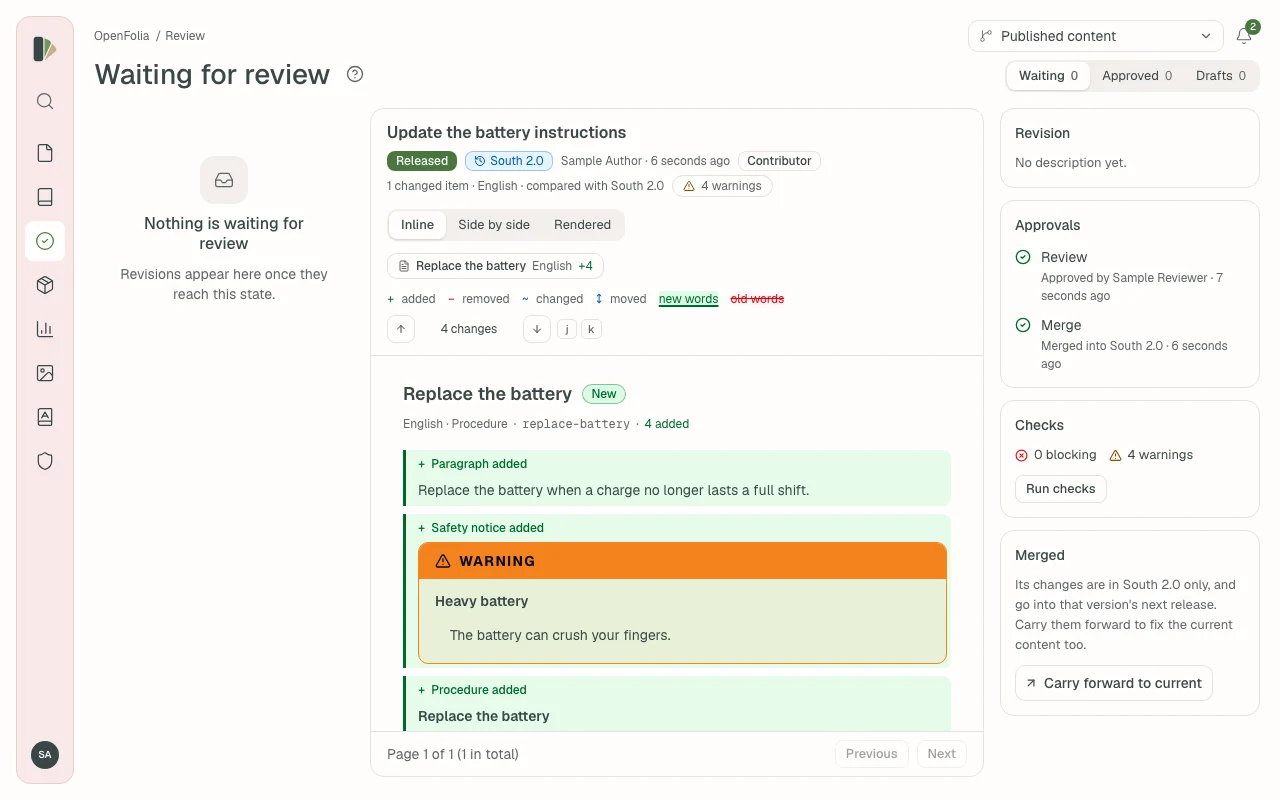
This starts a new draft revision, Carry forward: and the fix's title, with the same change on the current content, and opens it in the review. It is reviewed like any other.
Where the current content changed the same place differently, that file is left as the current content has it, and a dialog lists it: each module with the blocks the fix changed. Choosing a block opens the editor at that block in the new draft, to apply the fix by hand. Later keeps the list, Done puts it away.
A revision is carried forward once. Choosing it again says so and opens that draft.