

Release files
How a release renders its PDF files in the background, and what to do when one fails.
A release renders every manual as a PDF, in each of its variants and every configured language. The files render in the background: you can close the page and come back.
Follow the files
On the release's page, Files says how far they are, for example 12 of 30 files ready, with a bar below. Each file has a row under its manual, with its Status:
- Queued: waiting for its turn.
- Rendering: being made now.
- Ready: done, with its Size and Download.
- Failed: it could not be made. The row says why.
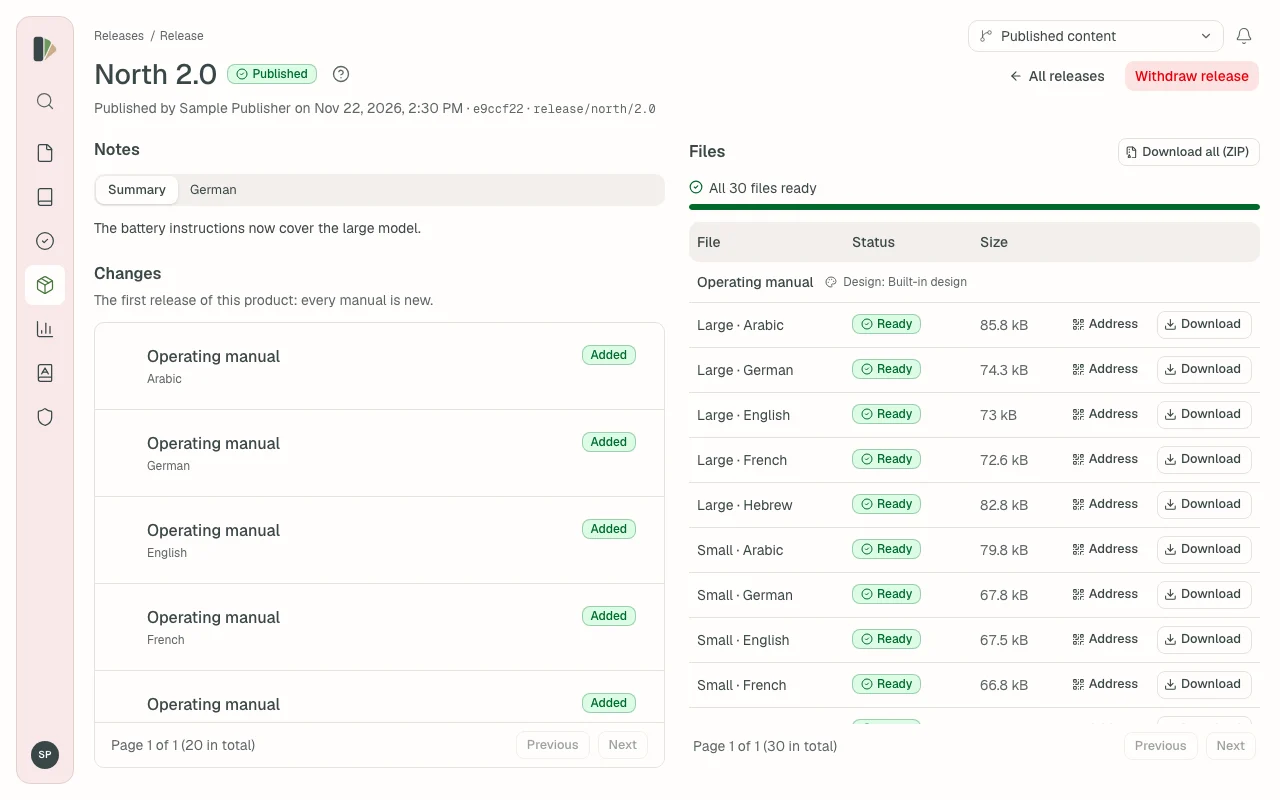
The page follows the files by itself; there is no need to reload. While it is open, a message says when all files are ready, or how many failed. In the releases list, the Files column shows the same as a badge: Preparing, 12 of 30, Ready or 2 failed.
A manual the release does not change keeps the previous release's file. Only what changed is rendered again: a module or a manual's manifest (its title, its variants) changes the manual's files, in one language or, for the source language, in all of them; the configuration (with its labels), a page design, its own template, a symbol or a term changes every file. The editor's branding never reaches a file.
While the files are prepared
Right after you cut a release, Preparing the files… shows while the release works out which files it needs. A large release is prepared in parts: its files appear as they render.
A product's releases are prepared in the order they were cut: a new release waits only for its own product's earlier releases that are still to be prepared, and then shares their files wherever nothing changed between them. Releases of other products do not hold it up. Once prepared, newer releases' files render first, so a new release's first files are ready soon, whatever older releases' files still wait for. A release that waits says so to publishers, for example Waiting for 2 earlier releases to be prepared first or Waiting for 8 files of newer releases.
A file is always made at the oldest release that has it: it carries that release's date, never a later one.
When something fails
- A file failed: choose Try again in its row to render it again.
- The files could not be prepared: choose Plan the files again at the top of Files.
- Too many files for one release: the release would have more files than one release may have, so none were prepared. Ask an administrator to raise the limit, then choose Plan the files again.
Only people who may publish see these buttons.
Which design the files use
Each manual's name above its files says which page design printed it, for example Design: Built-in design. See Page designs.