

Manual settings
Set who a manual is for, which variants it is built for, and the values of its text attributes.
A manual's settings say what it is built for. The Settings card in the builder sums them up: the audience, the number of variant builds, the cover image and how many text attributes are set. Changes are saved at once in your draft revision.
- Open the manual in Manuals.
- Choose Edit settings in the Settings card. Without a draft revision, Show settings shows them read-only.
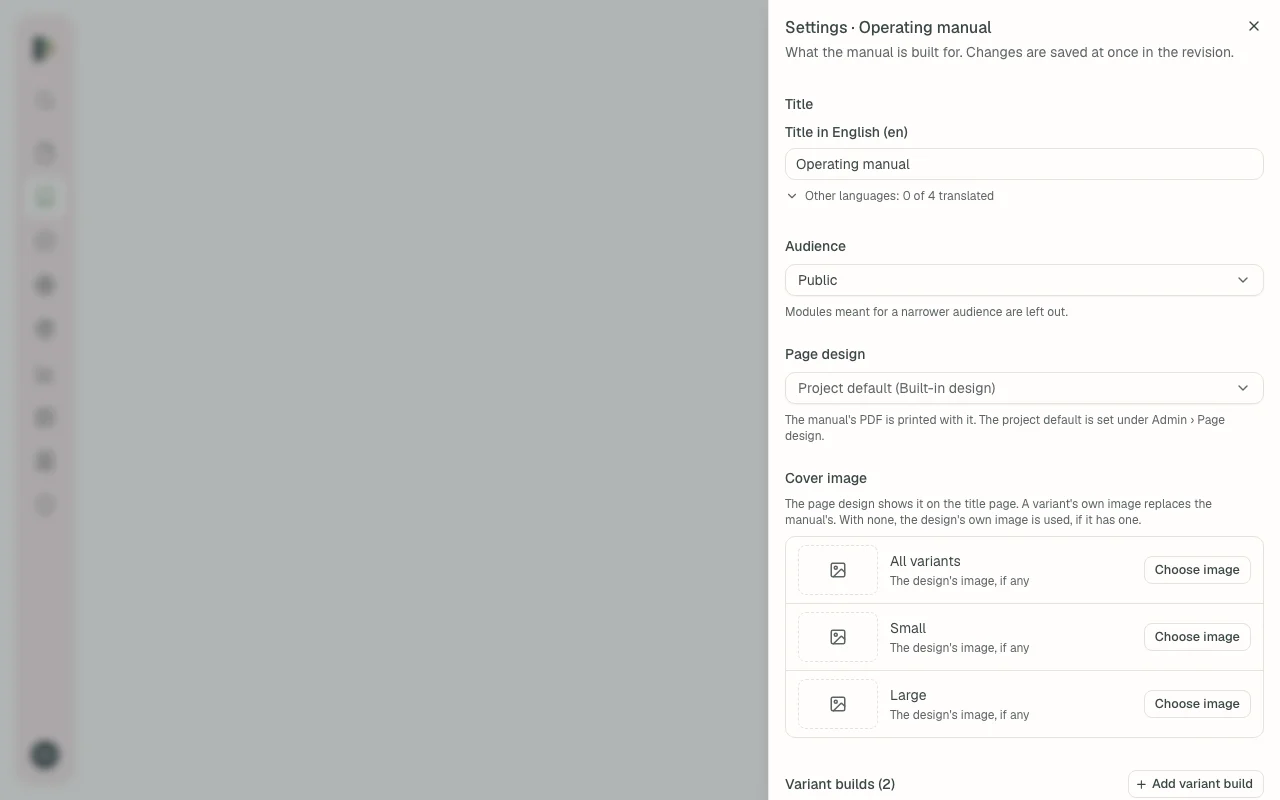
Title
The manual's title is on the title page of its PDF, in the running header and in the portal. Type it in the source language. Under Other languages, give it a title of its own in each translation language; an empty field uses the source language's title. A group's title in the outline has the same fields where you rename the group.
Each PDF and portal page shows the title in its own language. Translators get the titles with a delta export too: see Page design, manual and label texts.
Audience
Choose who the manual is for. Not set (every audience) includes every module. Modules meant for a narrower audience are left out: see Audiences.
Page design and cover image
Page design is what the PDF is printed with; Project default uses the one your admin set. See Page designs. The Cover image is set here too: see Fonts and cover images.
Variant builds
Each variant build is one combination of variant attributes, such as Model Small. Each is built and checked as its own manual.
- Choose Add variant build.
- Choose a value for each attribute, or leave it Not set.
- Choose Add.
The pencil edits a build, the bin removes it; the toast offers Undo. A manual keeps one build at least.
Text attributes
A text attribute, such as Product name, is a value put into the text where a module uses it.
- Under Text attributes, type the value and choose Set value.
- For a value that differs per variant, choose Only for some variants… beside it and pick the variants. Then Add value for the next one.
The first value whose variants match is used. A value after one for Every variant is never used, and the panel says so. The cross beside a value removes it.