

Make a safety leaflet
A derived manual gathers the safety modules of another manual, in its order, and follows it as it changes.
A safety leaflet holds the safety notices of a product's manual, on a few small pages. You do not build it by hand: a derived manual gathers the modules of some types from its source manual, in the source's order, each once. When the source changes, the leaflet follows.
Create the leaflet
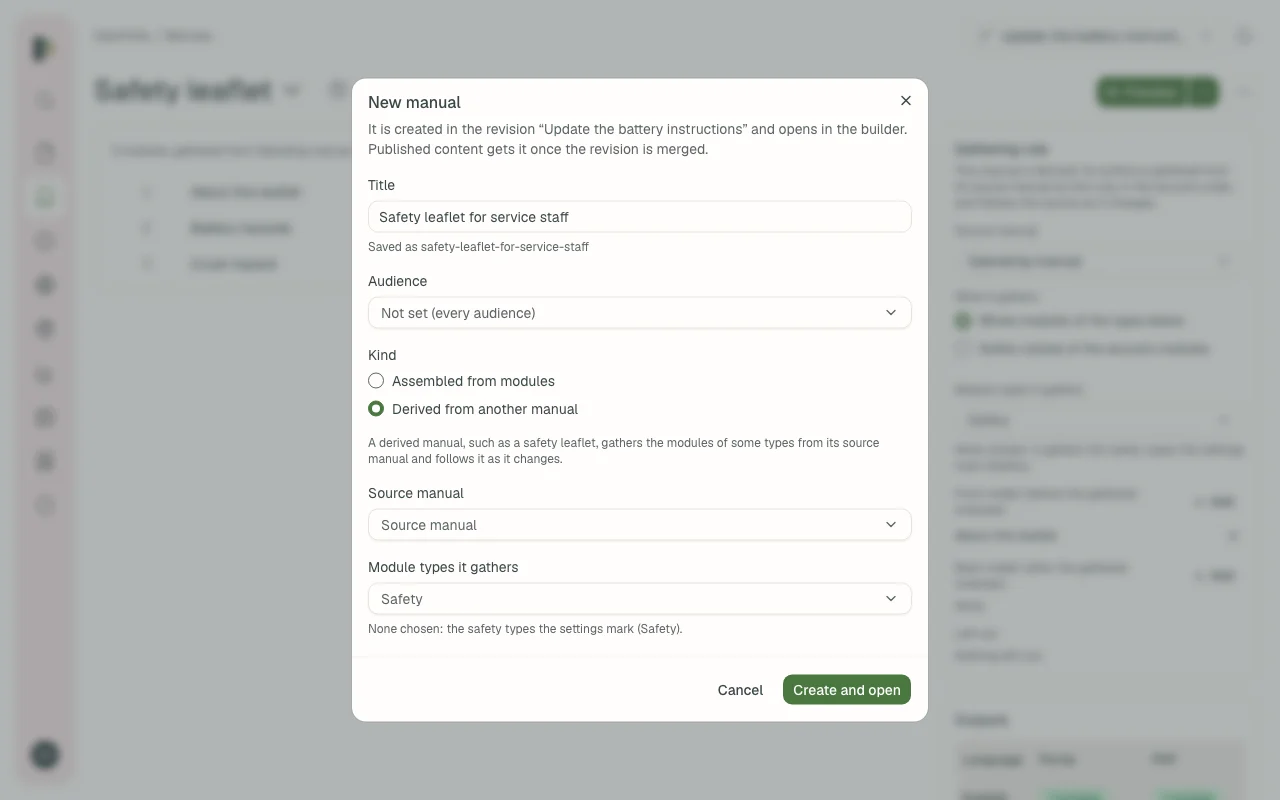
- Choose Manuals in the sidebar, then the manual's title at the top, then New manual.
- Enter a Title, for example "Safety leaflet for service staff".
- Under Kind, choose Derived from another manual.
- Choose the Source manual: the manual whose safety modules it gathers. A source is an assembled manual for the same audience or a wider one.
- Leave Module types it gathers empty to gather the types your settings mark as safety content (in the sample content, Safety). Or choose the types.
- Choose Create and open.
Read the leaflet
The outline shows what the rule gathers: 3 modules, gathered from Operating manual, say. Each gathered module keeps the variant conditions it has in the source. A badge such as Not in Small says that a variant does not get it.
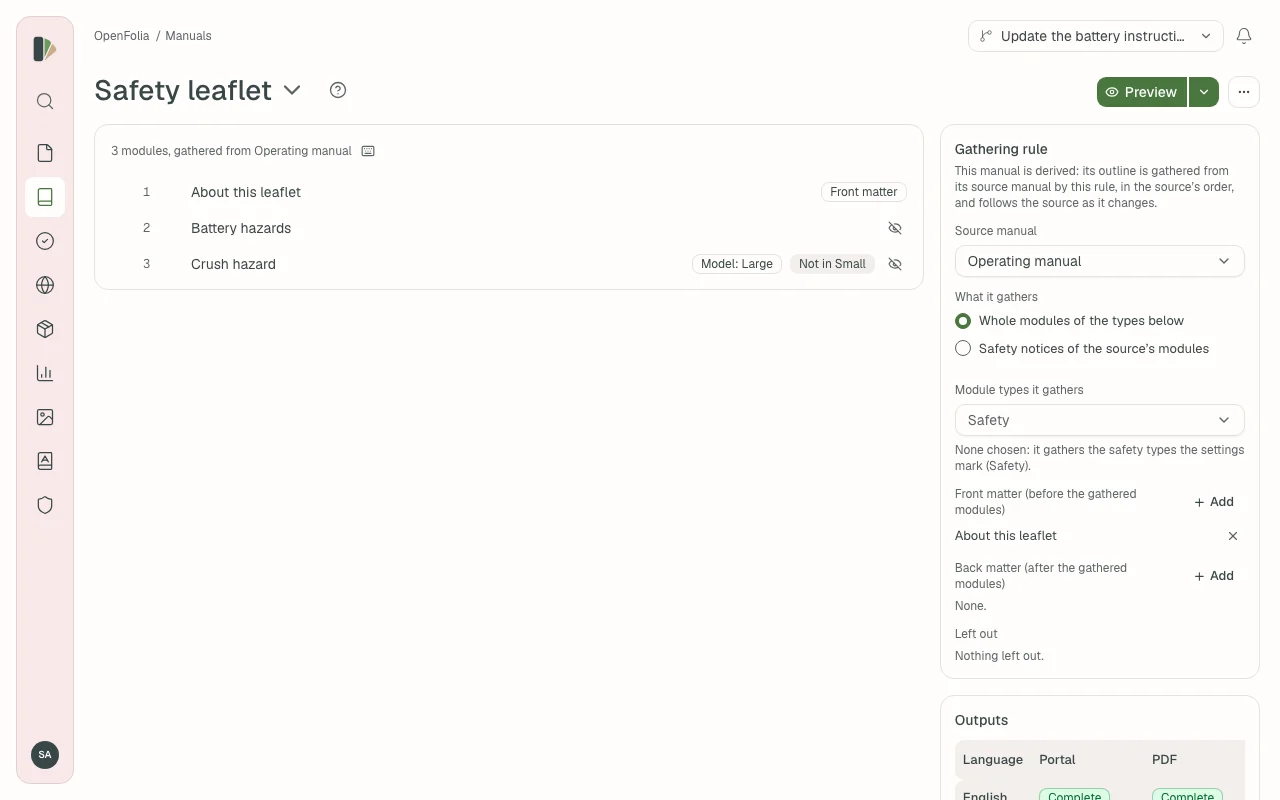
You cannot drag or add rows here: the Gathering rule on the right decides the outline.
Change the rule
In Gathering rule:
- Source manual and Module types it gathers: as when you created it.
- Front matter (before the gathered modules): choose Add to put a module first, such as an introduction. Back matter works the same, after them.
- Left out: modules the leaflet does not gather. To leave one out, choose the crossed-out eye at the end of its row (or select it and press Delete). Include again brings it back.
The rule's checks stand beside it. Blocking: means the leaflet cannot be released until it is fixed.
Gather the safety notices instead
A leaflet can hold the safety notices of the source's modules rather than the whole modules: every danger, warning, caution and notice, without the text around them.
- In Gathering rule, under What it gathers, choose Safety notices of the source’s modules. (Whole modules of the types below is the default.)
- Under Group the notices, choose By source module for a group per module, or By hazard level for a heading per level, most severe first.
- Under Hazard levels gathered, untick a level to leave its notices out. Grouped by hazard level, drag a level to change the order of the groups.
- Under Module types it searches for notices, choose the types to search, or leave it at Every type: every module of the source is searched, and the modules it refers to.
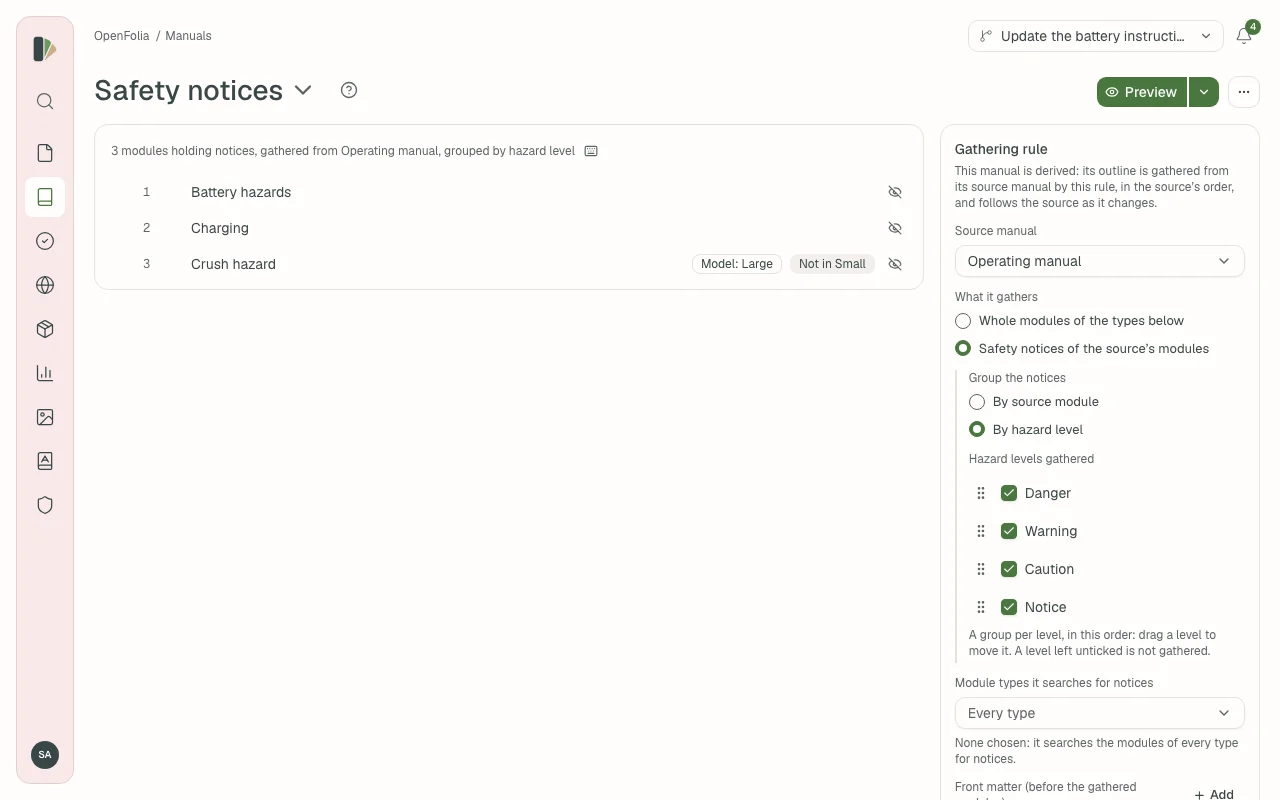
The outline then lists the modules holding notices, in the source's order: 3 modules holding notices, gathered from Operating manual, grouped by hazard level, say. Each notice keeps the variant conditions it has in the source. A notice the rule leaves out (a module left out, a type not searched, a level not gathered) is reported by the checks as Safety notice left out, so you can confirm it is meant.
Print it
The leaflet is a manual like any other: preview it, check it and release it. For small pages, choose a leaflet page design in its Settings card, under Page design: A5 portrait, small type, the modules running on. Your admin makes page designs under Admin, Page design.