

Audiences
Audience levels keep modules meant for a narrower audience out of a manual, and out of the reach of readers scoped to a wider one.
An audience says who content is for. Your admin sets the levels in the project settings, from the most open to the most restricted. In the sample content: Public, then Internal.
Give a module its audience
- Open the module and choose Details in the side panel.
- Choose its Audience.
A module without an audience counts as the most restricted level. The Details tab names it: Not set: counts as Internal; the Content list shows Internal (not set).
The Content list's Audience filter finds modules by the level they count as. So Internal + not set shows the internal modules and those without an audience. Public shows only the public ones. Search and the API filter the same way.
Give a manual its audience
Set the Audience in the manual's settings: see Manual settings. A manual leaves out every module meant for a narrower audience than its own. With Not set (every audience), it leaves out none.
Say the operating manual is Public and one of its modules is Internal: the public manual is built without it. The module stays in the outline, and the checks report it as Above the manual’s audience, so nobody misses it.
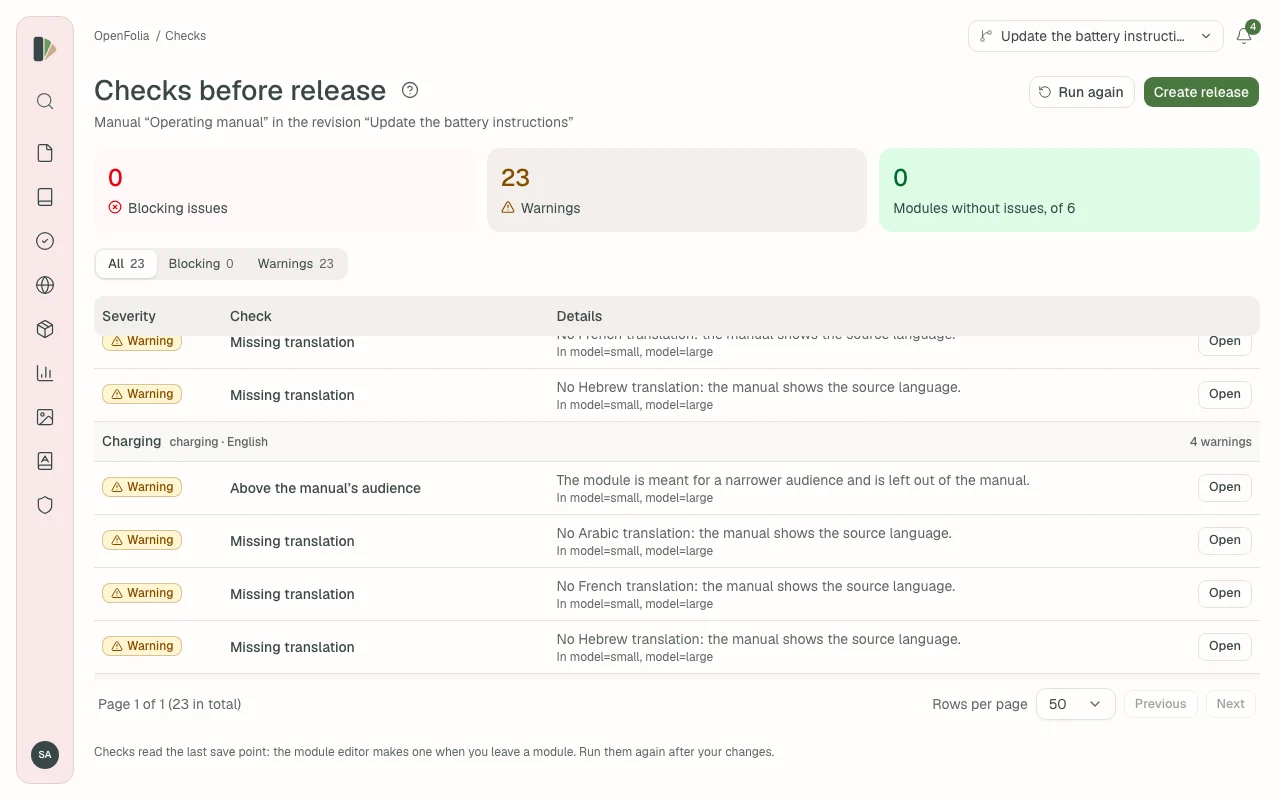
To bring it back, give the module the manual's audience or a wider one, or remove it from the outline. A safety leaflet follows the same rule: its source is a manual for the same audience or a wider one. See Make a safety leaflet.
Readers scoped to an audience
A role can be limited to audience levels: Up to a level. Someone with that role reads only the content meant for that level or a wider one; modules for a narrower audience stay hidden from them. Your admin sets this in the role's Scope: see Users and roles.