

Users and roles
Add people, give them roles, limit a role to part of the content, and deactivate someone who left.
Each person has a user and holds one or more roles. A role is a set of permissions, and a scope says where they apply. Changes apply at once and are written to the audit log.
Add a person
- Open Admin, then Users.
- Choose New user.
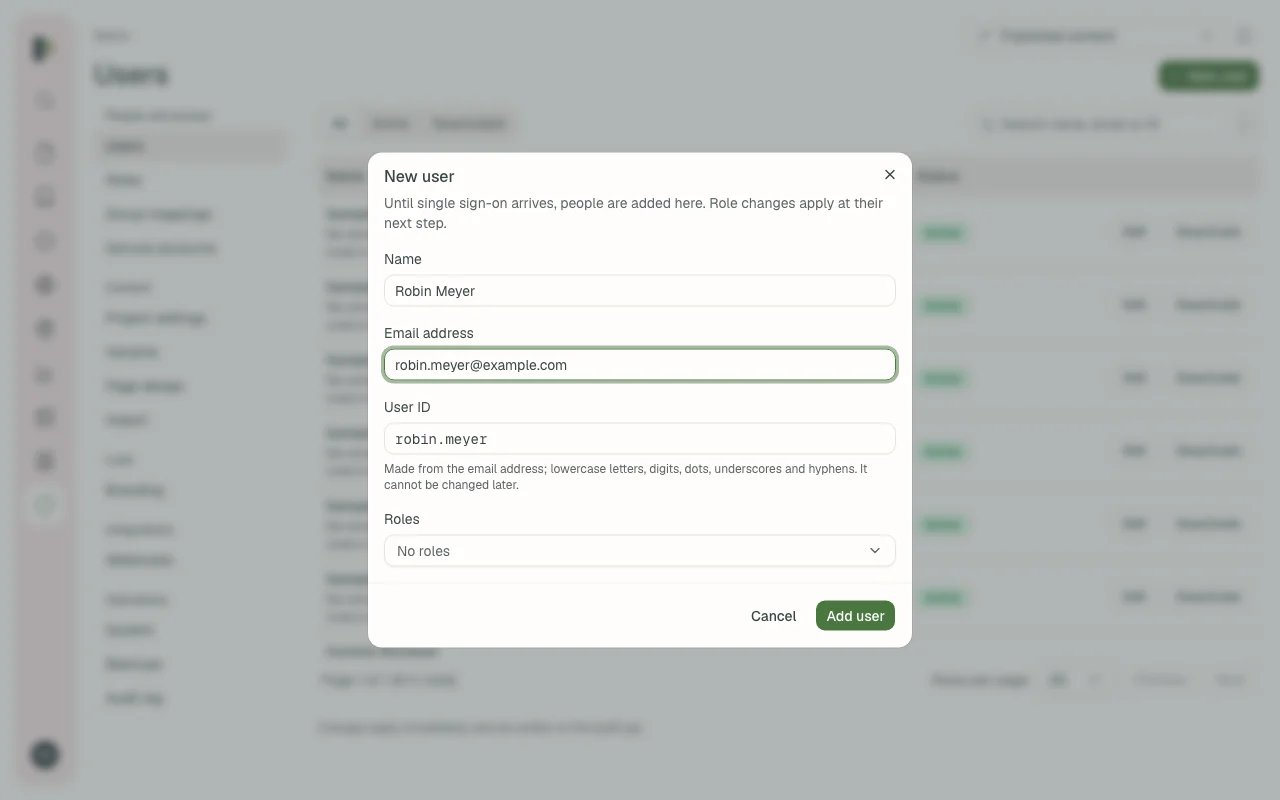
- Fill in Name and Email address. The User ID is made from the address. It cannot be changed later.
- Under Roles, choose the roles the person holds.
- Choose Add user.
The list shows each person's email address and ID under their name. It searches name, email and ID (press /), and All, Active and Deactivated filter it. Edit and Deactivate are at the end of each row; in a narrow window, scroll the list sideways to reach them.
How a person signs in
How people sign in is set up on the server: with an identity provider, with a password, with a code by email, or several of these. When sign-in with a password is on, the Users page shows more:
- A Sign-in column says how each person signs in: Password, Provider, Password and provider, Invited, not yet signed in, Invite ran out or Not yet.
- A new person gets an invite at once: a one-time link, shown once to copy. When email is set up, it is emailed to them too.
- Invite makes a new invite, Withdraw invite ends an open one, and Reset link makes a password reset link for someone who has a password. Each link works once, for a limited time, and replaces any earlier one.
A person without an email address gets no link. Codes by email need no work here: the person asks for one on the sign-in page.
Make or change a role
- Open Roles. Choose a role on the left, or New role.
- Fill in Role name and Description, and tick its Permissions.
- Under Scope, limit where they apply: the Module types, the Audience levels, the Languages and each facet. A line left at All applies to all of it.
- Choose Save changes, or Create role for a new one.
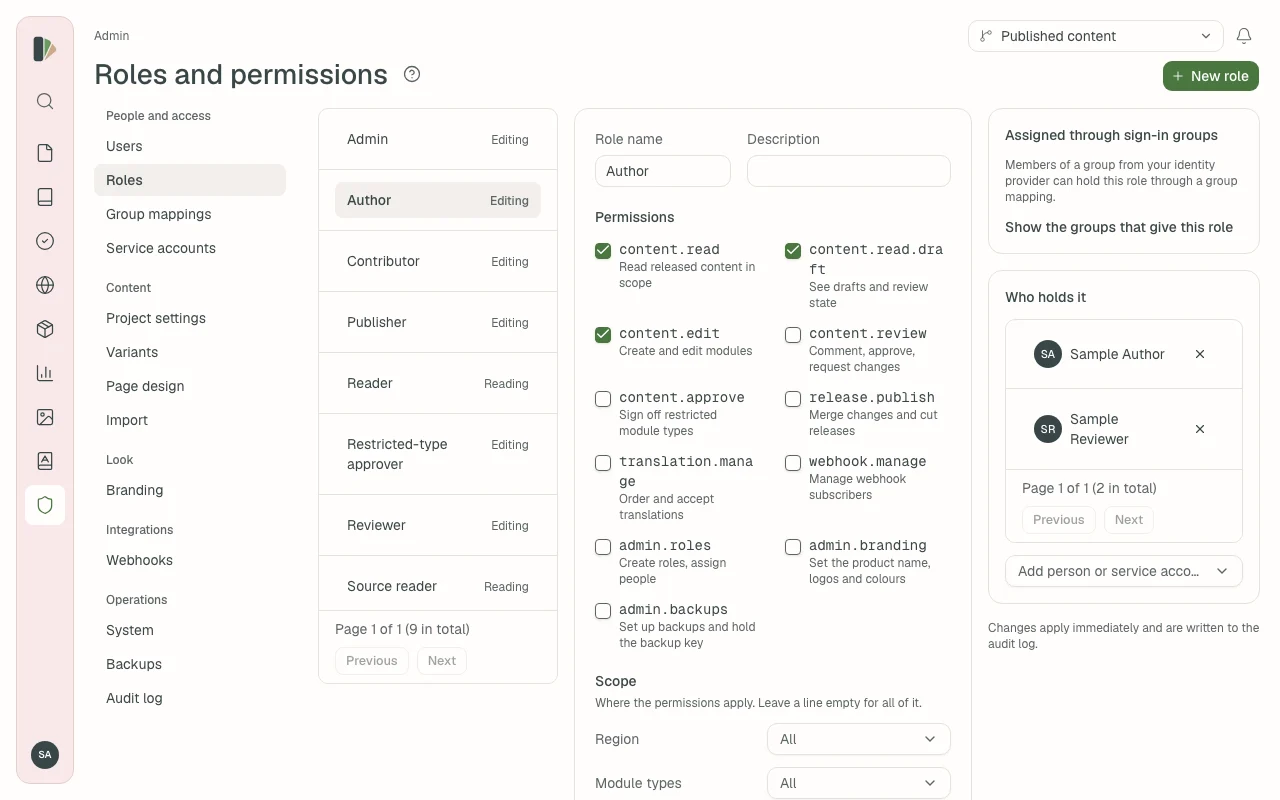
admin.roles, admin.branding and webhook.manage always apply everywhere. Under Who holds it, add or remove people and service accounts. A role with admin.roles cannot go to a service account. Delete role works once nobody holds it.
Roles and permissions lists every permission.
Deactivate a person
- In Users, choose Deactivate in the person's row, and confirm.
- The person can no longer act. Approvals they gave stop counting, and every lock they hold is released. Their roles stay.
Reactivate brings them back.