

The review list
Find the revisions waiting for review, approved or still drafts.
Review in the sidebar lists revisions by where they stand. Choose one to see its changes in the middle and its approvals on the right.
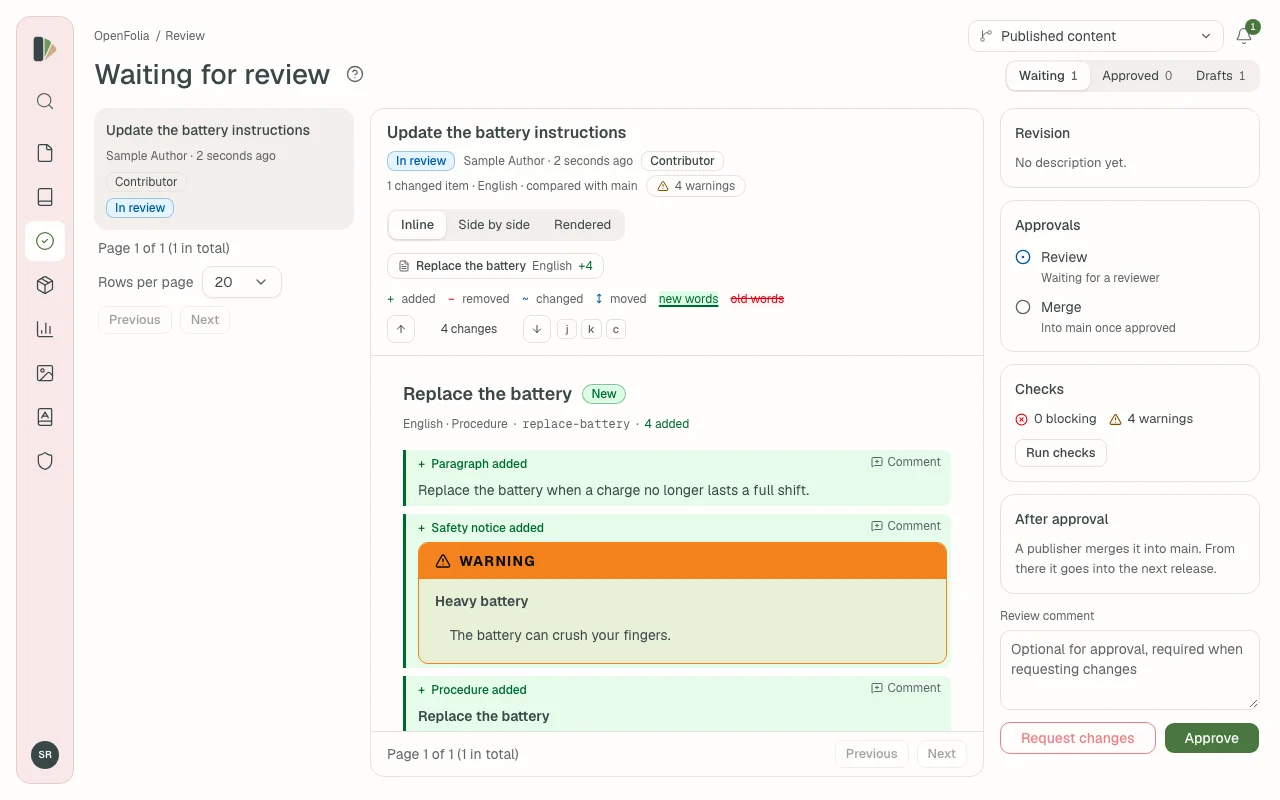
Choose what the list shows
At the top right, choose one of three:
- Waiting: submitted, waiting for review or a sign-off. The page title reads Waiting for review.
- Approved: approved, waiting for a publisher to merge them: Approved, waiting to merge.
- Drafts: not submitted yet.
The number beside each says how many revisions it holds, so an empty Waiting never hides a draft. You see only revisions you may read.
Read a row
Each row shows the revision's title, who started it and when it last changed, and its state, such as In review. Contributor marks a revision by someone whose role may write but neither review nor approve.
Under the title of the chosen revision, a line sums it up, for example 1 changed item · English · compared with main, and the checks next to it: blocking issues and warnings. Choose them to open the checks.
Page through
The list shows 20 revisions at a time. Rows per page changes that, Previous and Next turn the page. The address keeps the filter, the page and the chosen revision, so a link to it opens the same view.
On a narrow screen the page shows one part at a time. Switch with Revisions, Changes and Approvals above it.