

Approve your own revision
Let authors approve their own revisions in a small team, and who counts as an author.
By default every revision is reviewed by someone other than its author: four eyes. A team of one or two may not have a second person for every review. An administrator can then let authors approve their own revisions.
Turn it on
- Choose Admin, then Project settings.
- Under Installation, choose Review.
- Under Who may approve their own revision, choose one:
- Nobody: four eyes: the default.
- Its author may give the review: a restricted type's sign-off still needs someone else.
- Its author may give the review and sign-offs: an author takes their own revision to approved alone.
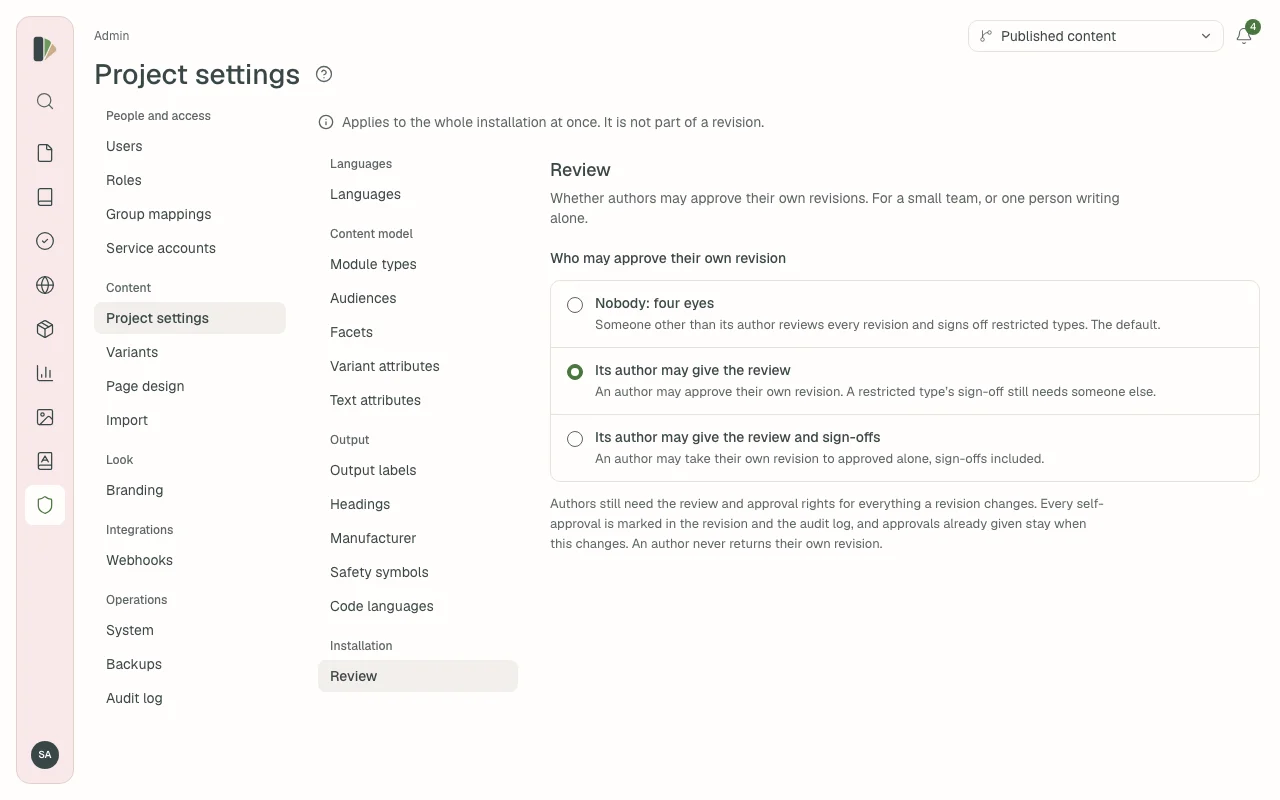
The choice is saved at once and applies to the whole installation. It is not part of a revision. Authors still need the rights to review and approve everything their revision changes. Approvals already given stay when the choice changes back.
Approve your own revision
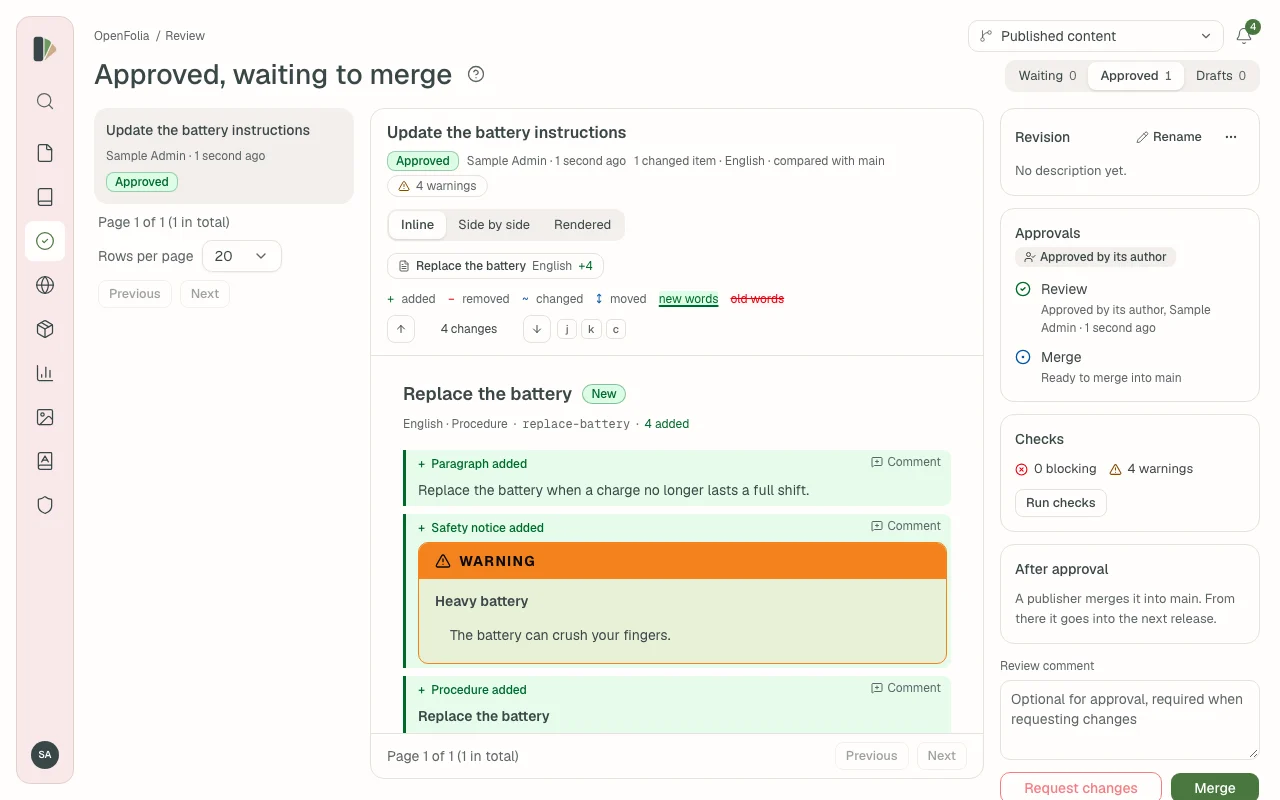
With self-approval on, the panel of your own revision in review says Four eyes is off for this installation: you may approve your own revision. Sign-offs still need someone else.
- Write a Review comment if you like.
- Choose Approve.
The Approvals card then shows the badge Approved by its author, and the step reads Approved by its author, Sample Admin. The audit log marks the approval By its author.
An author never sends their own revision back with Request changes, whatever the choice.
Who counts as an author
Four eyes and self-approval apply to everyone who wrote the revision, not only the person who started it:
- Everyone whose save points are in it.
- The writer of a fix that someone else carried forward to main or moved onto a new main. Their fix stays theirs, even when the carrier typed it again by hand.
- Not someone whose changes reached the branch outside the editor, such as a push to the content repository. Those changes name nobody.
If you count as an author, Approve, Sign off and Request changes are greyed out for you: You wrote this revision, or part of it: someone else reviews it.