

Translation and usage reports
How complete each manual is in each language, and where each module is used.
Reports answers two questions: how far each manual is translated, and which modules are used where. Both follow the revision chosen at the top, and both download as CSV.
How complete each manual is
- Choose Reports in the sidebar. The Translations tab opens.
- Each row is a manual in one language. Up to date shows the share of its modules that are up to date, as a bar and a percentage.
- Status counts them in words: up to date, outdated, at the agency and missing, for the modules and for their blocks.
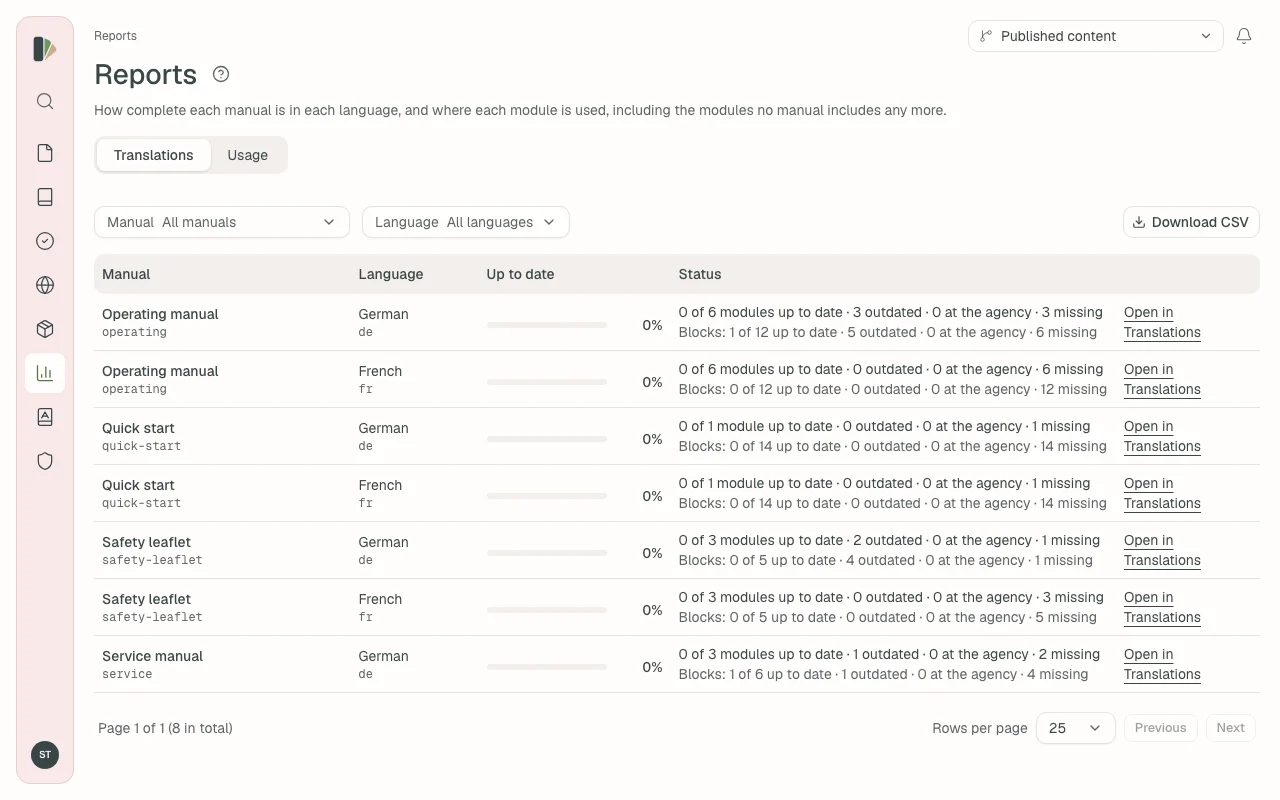
- Manual and Language narrow the list. Clear filters shows everything again.
- Open in Translations opens the translation status filtered to that manual and language.
- Download CSV saves the whole report, as filtered, for a spreadsheet.
A manual's page design texts and cover image texts count too.
Where each module is used
- Choose the Usage tab.
- Each row is a module, with its Type, how many Manuals include it and how many Modules refer to it. Used in names the manuals, and says (through a module reference) where a manual includes it only through another module.
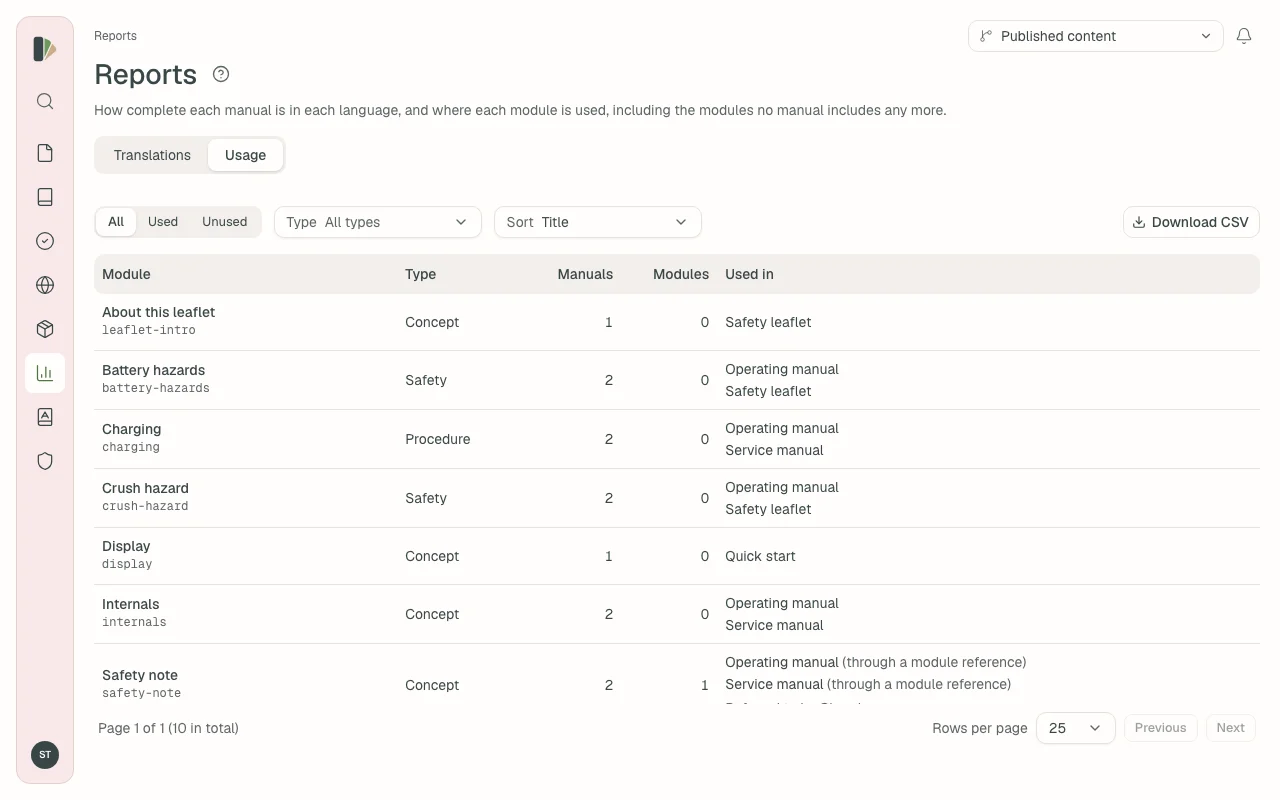
- All, Used and Unused choose the modules shown. Unused lists the modules no manual includes any more: candidates to deprecate or delete.
- Type shows one module type. Sort orders by Title, Most used or Least used.
- Download CSV saves the report, as filtered.
A module used only through a module reference counts as used.