

Safety symbol artwork
How safety symbols show in the editor, the preview and the PDF, and where their artwork comes from.
A safety notice can show symbols, such as the general warning sign. The editor shows each symbol's artwork beside the signal word, in the menu where you choose it, and in the preview. The PDF prints the same artwork.
Choose a symbol
- In a safety notice, choose the button at its top right (Safety notice level and symbols).
- Under Symbols, each symbol shows its artwork beside its name. Choose one or more.
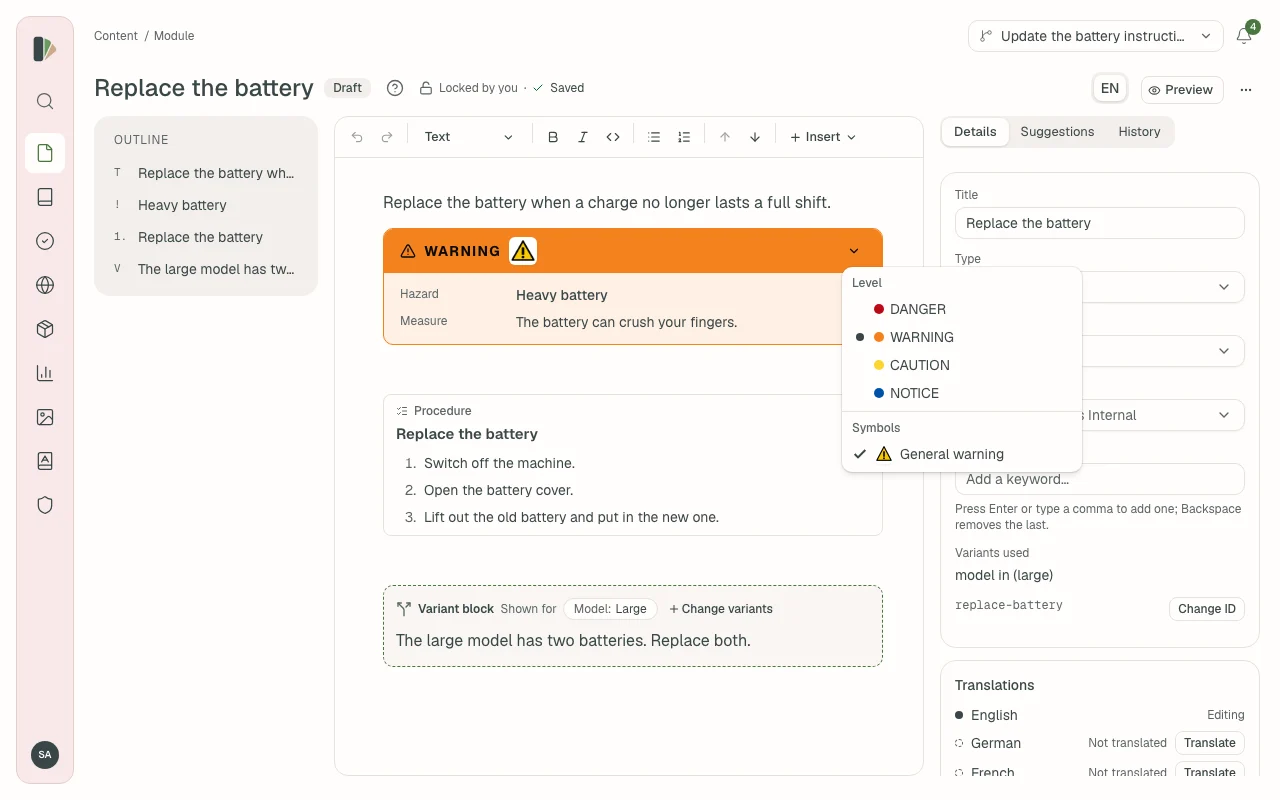
The notice shows the artwork at once. Screen readers read the symbol's name.
A symbol without artwork
A symbol can be set up before its artwork is there. The notice then shows its name and No artwork. The preview leaves it out, and the PDF prints a grey placeholder in its place. Add the artwork, or choose another symbol.
Where symbols come from
An admin decides which symbols there are, under Admin, Project settings, Safety
symbols: each has an ID and a name. The artwork is a file named after the ID, an SVG or a PNG,
kept in the content repository's symbols folder by whoever looks after the repository. The page
design's safety standard sets the symbols' shapes and colours.