

Search
Find a module, a manual, a page or an action from anywhere, or search the list you are on.
Search everything
The search palette finds modules, manuals, pages of the editor and actions, from any page.
- Press Ctrl K (⌘ K on a Mac), or choose Search in the sidebar.
- Type a few letters of a title, a keyword or the text.
- Move with ↑ and ↓, and open a result with Enter.
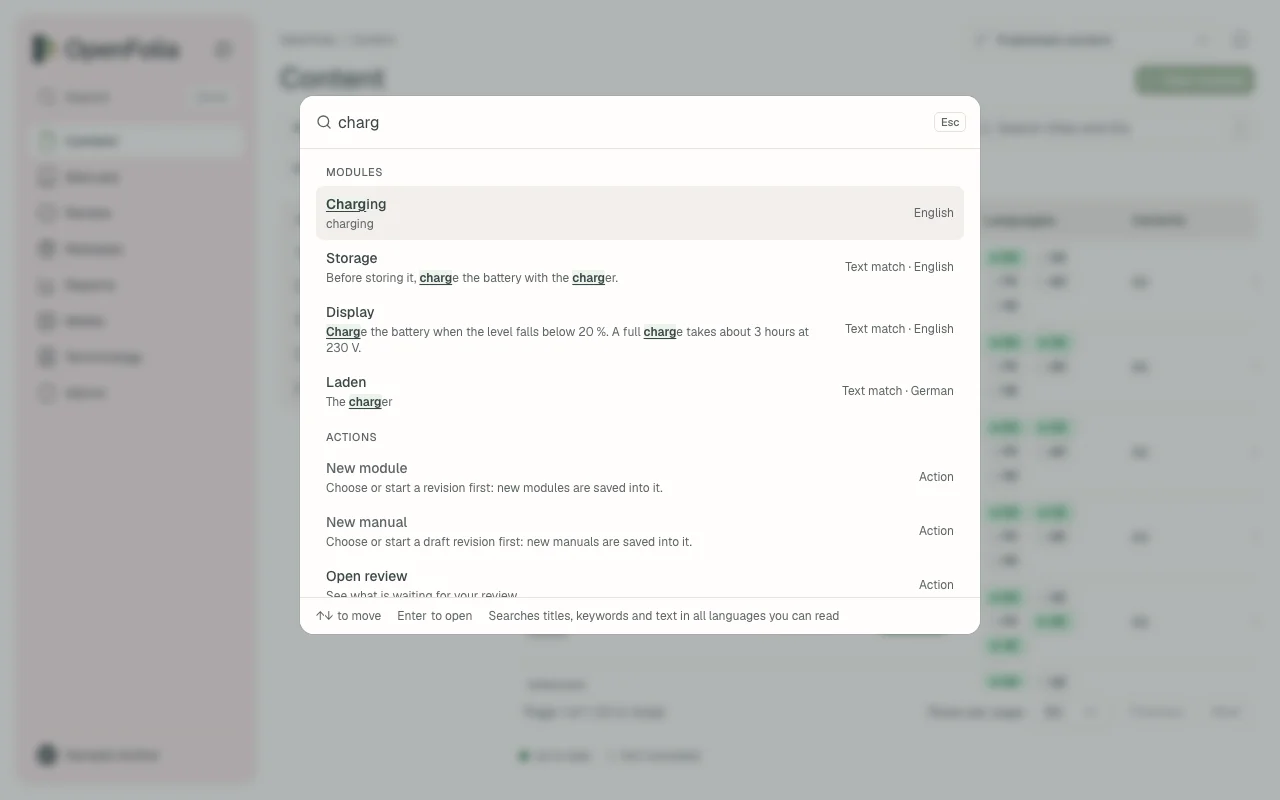
The palette searches titles, keywords and text in every language you may read. A result found in the text says so (Text match). Before you type, it lists what you opened recently.
Close it with Esc.
Search the list you are on
Lists such as Content and Users have their own search box. Press / to jump to it, then type. The filters beside it narrow the list further.
Every shortcut
The keyboard shortcuts lists them all.