

References, images and terms
Fix broken references, missing images and files, unknown terms, a manual too large to make, and content whose chunks are too large together.
These checks look at what a module points to: other modules, blocks, images, attached files, terms and callouts. Most are blocking: a release would carry a broken link or a gap.
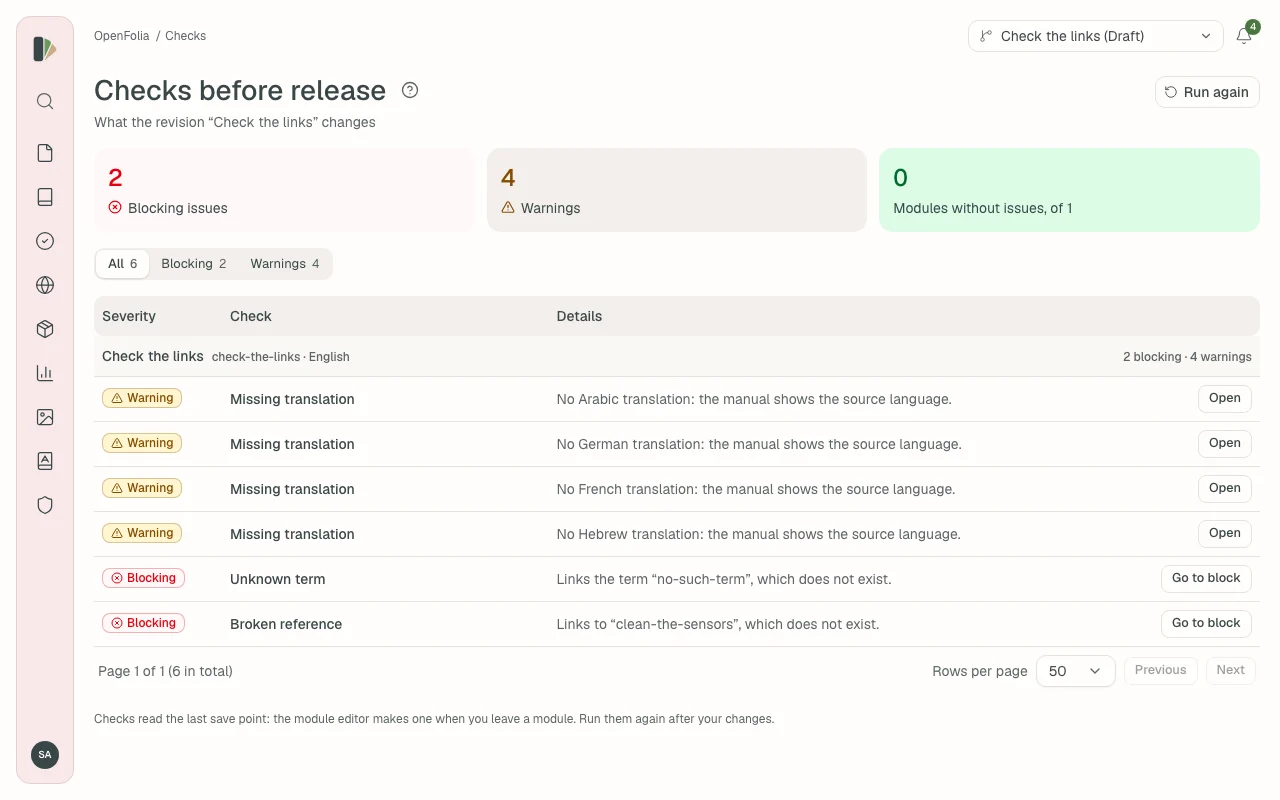
Choose Go to block beside an issue to land on the very block, fix it there, and choose Run again.
Modules and cross-references
- Missing module (blocking): the manual, or a module reference, names a module that does not exist. Choose another module, or remove the reference.
- Module refers to itself (blocking): module references form a loop. Remove one of them.
- Broken module reference (blocking): a reference to one block of a module names a block that module does not have (any more), for example Includes the block “acid-warning” of “battery-safety”, which does not exist. Choose another block, or remove the reference.
- Broken reference (blocking): a cross-reference links to a module or a block that does not exist, for example Links to “clean-the-sensors”, which does not exist. Link to another one.
- Reference outside the manual (warning): the linked module is not in this manual, so readers of the manual cannot follow it. Add the module to the manual, or link to another.
- Deprecated module (warning): the manual includes a deprecated module. The details name the module to use instead, when there is one.
- Unknown replacement (warning): a deprecation names a replacement that does not exist.
A manual too large to make
Manual too large (blocking): once its module references are included, the manual holds more than 500,000 content elements or 12,000,000 characters, or its content is nested more than 100 levels deep. This happens when modules refer to the same module over many paths, each of which counts again, or refer to each other many levels down.
Such a manual is not made at all: its PDF, its pages and its previews are refused, and its PDF is not checked. Refer to fewer modules, over fewer paths, or nest them less deeply. The details say which limit was passed.
Chunks too large together
The retrieval chunks are the pieces of content that search and assistants read. A revision's checks also look at them for the whole content as you see it:
- Chunks too large together (blocking): many modules each include a lot, so together their chunks grow past what the content may expand to. Once released, the content would have no chunks at all. The check is shown at the modules that expanded the most. Refer to fewer modules, over fewer paths.
- Chunks not checked (warning): checking the chunks of the modules took too much work, so from this module on they were not checked. The fix is the same.
Images and attached files
- Missing image (blocking): the image is not stored. Upload it again or choose another.
- Missing attached file (blocking): the same for an attachment.
- File name does not fit the file (blocking): the attachment's file name has an extension that does not fit the file, or one that could run code. Give it the file's own extension.
Terms
- Unknown term (blocking): a term link names a term that does not exist. Link another term, or ask for the term to be added under Terminology.
- Deprecated term (warning): the term is deprecated. The details name the term to use instead, when there is one.
Callouts
- Unknown callout (blocking): a callout reference names an image or a callout that does not exist.
- Hidden callout (warning): the callout is left out in a variant, so it has no number there.
Page design
Unknown page design (blocking): the manual, or the project, names a page design that does not exist. The PDF uses the built-in design until you choose an existing one.