

Update from main
Bring what others merged into the published content into your revision.
While you work in a revision, others merge their revisions into main, the published content. Your revision does not see their changes until you update it.
Update your revision
When main has changes your revision does not have yet, a button beside the revision menu says how many: Update from main (2 changes).
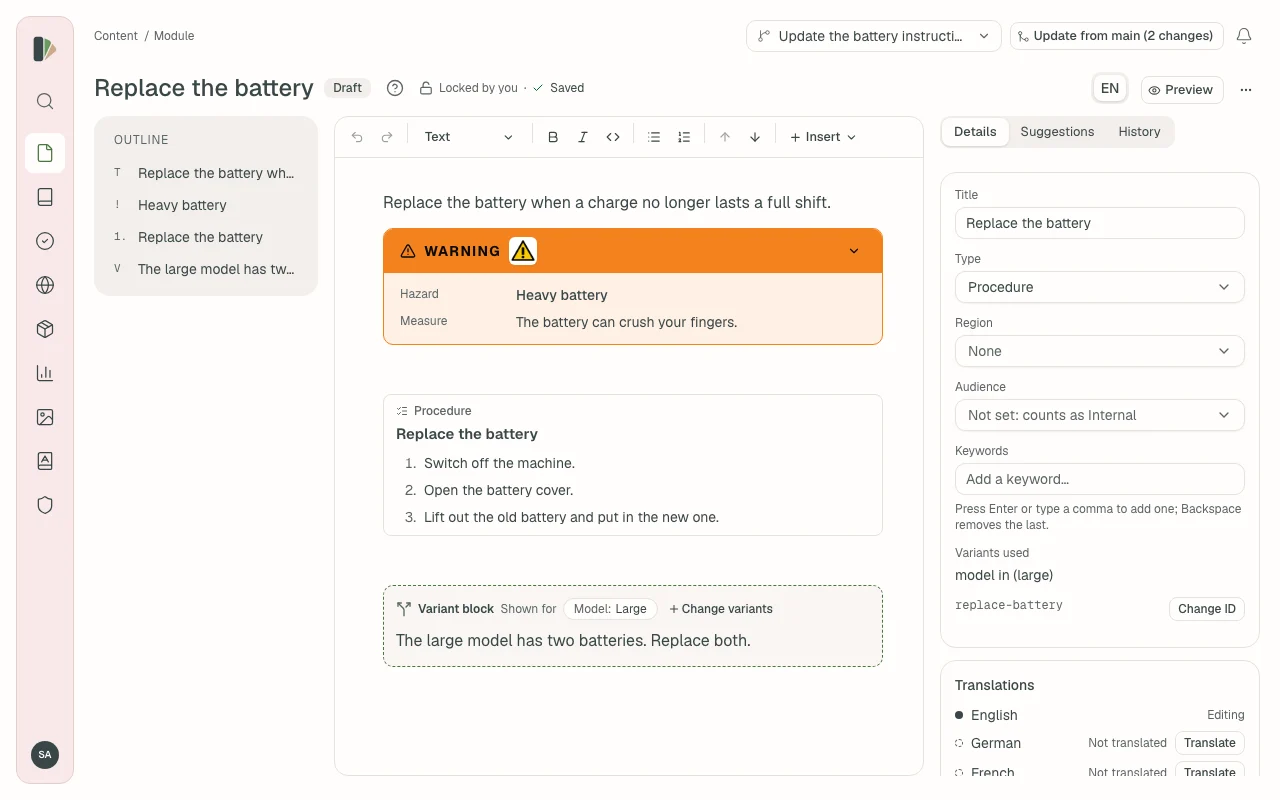
- Choose Update from main.
- The editor brings the changes in. A message says when your revision is up to date.
When a change conflicts with yours
Sometimes a file was changed on main and in your revision too. The editor then cannot combine the two by itself. The button shows Resolve conflicts, and a dialog lists the files: Changes on main conflict with this revision.
For each file in the list, do one of these:
- Choose Open, change the file so it reads as it should, and let it save.
- Choose Keep my version. Your version stays as it is, and the change from main to this file is dropped. Undo takes that back.
When every file is done, choose Update again. Later closes the dialog; the button keeps counting the conflicts.
When the button says Can't update from main
Main was replaced since your revision started. See When main was replaced.